Music Video Stylings: Tempo-Synced Visual Rhythms
Prompting for beat-aligned cuts without post-syncing. Duration math and audio_url tricks that lock the beat.
Music Video Stylings: Tempo-Synced Visual Rhythms
Music videos made with AI land or fall on one thing. Whether the cuts ride the beat. Everything else you can fix in post. Get the beat wrong and no amount of grading saves it.
The good news is you do not need to post sync. You can generate clips that are already the right length for the tempo. The math is simple, you just have to do it before you type the prompt.
The duration math
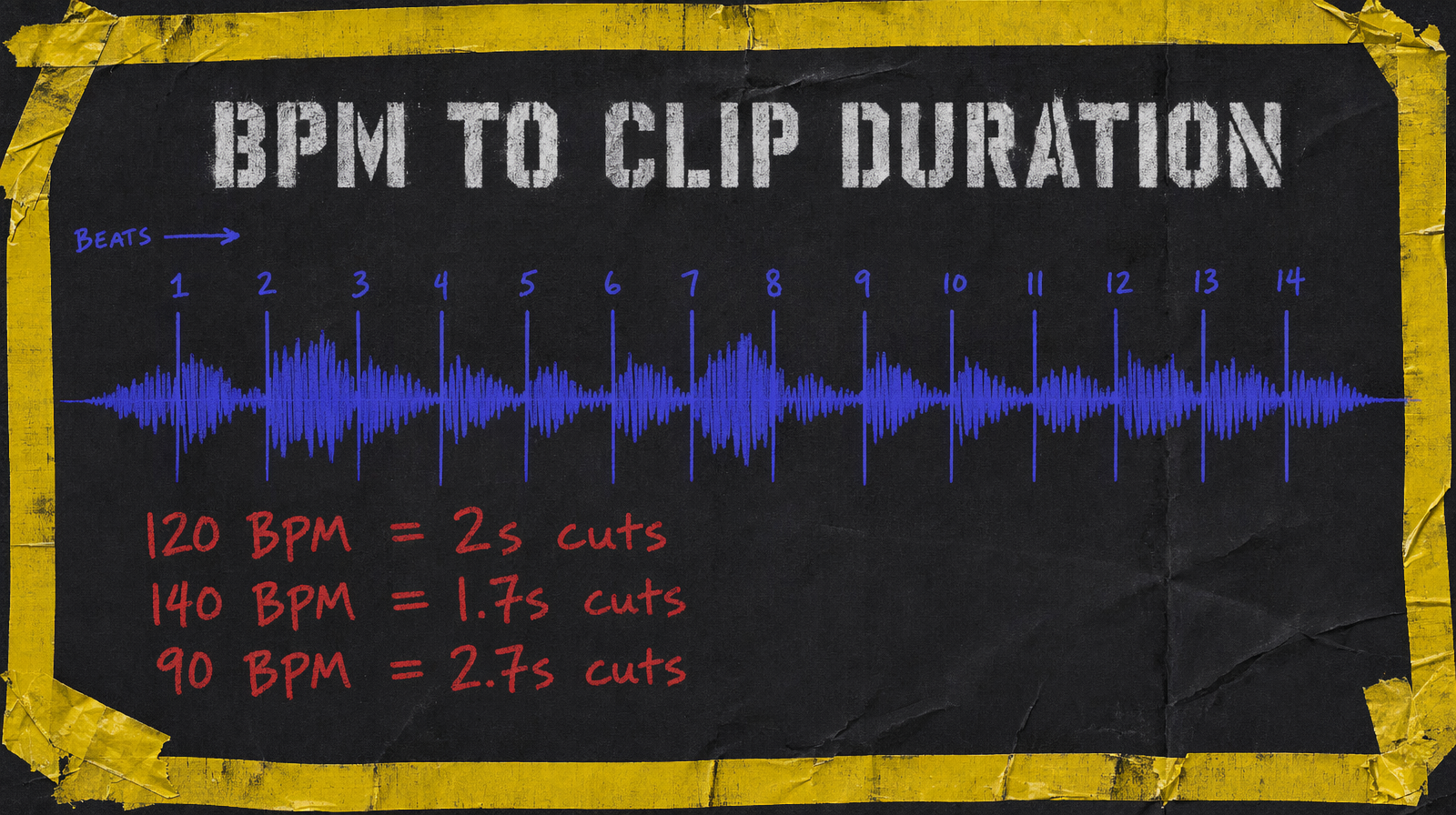
For a 4/4 track at BPM B, one beat is 60/B seconds. A two beat cut at 120 BPM is exactly 1 second. A four beat cut at 120 BPM is 2 seconds. Most watchable music video cuts are 2 to 4 beats.
So for a 120 BPM song, your standard cut is 2 seconds. For 140 BPM it is 1.7 seconds. For 90 BPM it is 2.7 seconds. Round to the generation minimum and take the actual clip into the edit where the last frame aligns to the beat.
Model picks by section
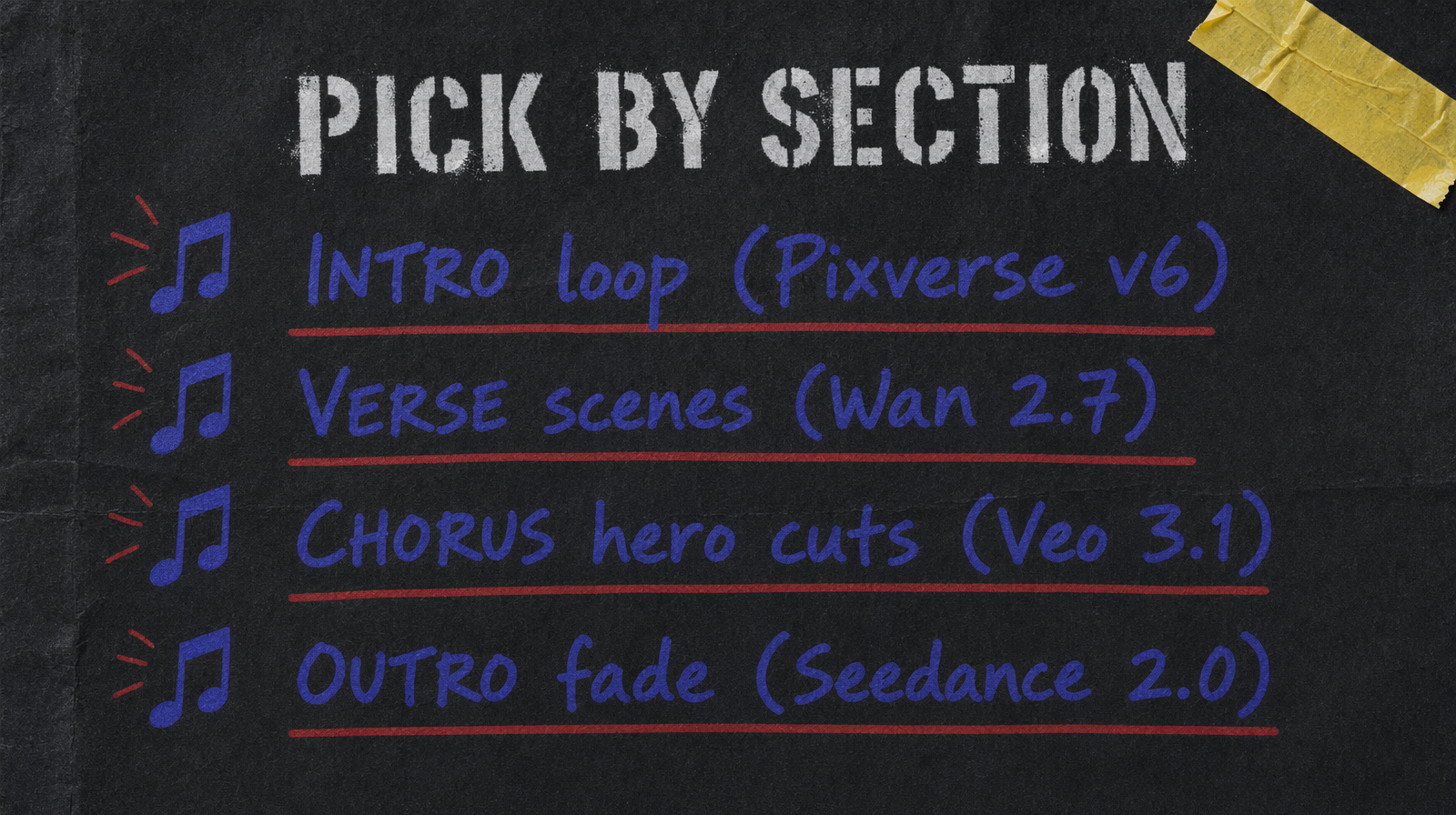
Intro and outro sections want loops and soft motion. Pixverse v6 starting at $0.03/sec (360p no audio, scaling to $0.12/sec for 1080p with audio) is the workhorse here. Cheap, good enough for a section that plays under titles.
Verse scenes want narrative continuity with some motion variety. Wan 2.7 at $0.10 per second is the default. Good quality per dollar and the prompt expansion helps when lyrics are thematic.
Chorus hero cuts are where the budget goes. Veo 3.1 at $0.40 per second for the 2 or 3 shots the audience will remember. Beat drop, hero character, payoff frame.
Outro fades back to Seedance 2.0 with unit pricing because you are doing simple atmospheric motion and the unit based model lets you iterate cheaply.
The audio_url trick
When a model supports an audio_url field for conditioning, use it on chorus shots. The generation tends to align subtle motion beats with the audio energy which gives you the "this was made for the song" feel without post work.
For models without audio conditioning, prompt for beat aligned motion explicitly. "A quick push in that reaches its peak at the midpoint". "A camera shake synced to a heartbeat". Language that references timing helps the model output structure you can cut to.
Prompting patterns for lyrical cuts
Write prompts that reference the lyric line, not the visual cliché. If the lyric is "we were racing the sun" your prompt is "two figures silhouetted against a burning horizon, running at full speed, camera tracking alongside, golden hour lens flare". Not "fast motion, speed lines, dramatic sunset".
Models respond to specific image language. Abstract "energy" words get you generic output. The more specific your scene, the more the model commits to a composition that cuts.
Cost per music video
A 3 minute video with 45 cuts at 4 second average lands around $30 to $90 in generation depending on Veo ratio. A typical split is 5 Veo hero cuts, 25 Wan cuts, 15 Pixverse atmospheric cuts. That math is about $15 in Veo, $10 in Wan, and around $1.80 in Pixverse at 360p no audio (15 x 4 x $0.03). Total near $27 for a finished music video that would have cost ten times that as a live action shoot.
Common failure mode
The failure is generating at 5 seconds when your cut wants 2 seconds, then fighting to trim. The model spends most of its effort on the middle of the clip, which means your 2 second trim is often the least interesting part. Generate shorter. Most models support 3 or 4 second minimums. Use them.
The other failure is ignoring the key of the song. A song in a minor key wants different visual language than a song in major. When your prompts skew bright for a dark track, the disconnect hits before the beat does.