Cinematic Trailer Cuts: Shot List to Render
A shot-list-driven workflow using Kling v3 Pro multi_prompt and Wan 2.7 continuation for trailer pieces.
Cinematic Trailer Cuts: Shot List to Render
Trailers are a specific editing language. Short cuts, rising tension, a hero reveal, a title card. AI video can produce trailer cuts that work, but only if you treat the generation the way a trailer editor treats footage. With a shot list, a rhythm, and continuity rules.
Here is how you build a trailer piece that holds up.
The shot list discipline
Seven shot types cover most trailer work. Wide establish sets the world. Hero portrait introduces the protagonist. Action crane or tracking shot raises energy. Insert of a meaningful object adds depth. Antagonist reveal creates stakes. Montage beats compress the second act. Title card with logo closes it.
Each shot gets a duration, a mood word, and a model assignment before any prompt is written.
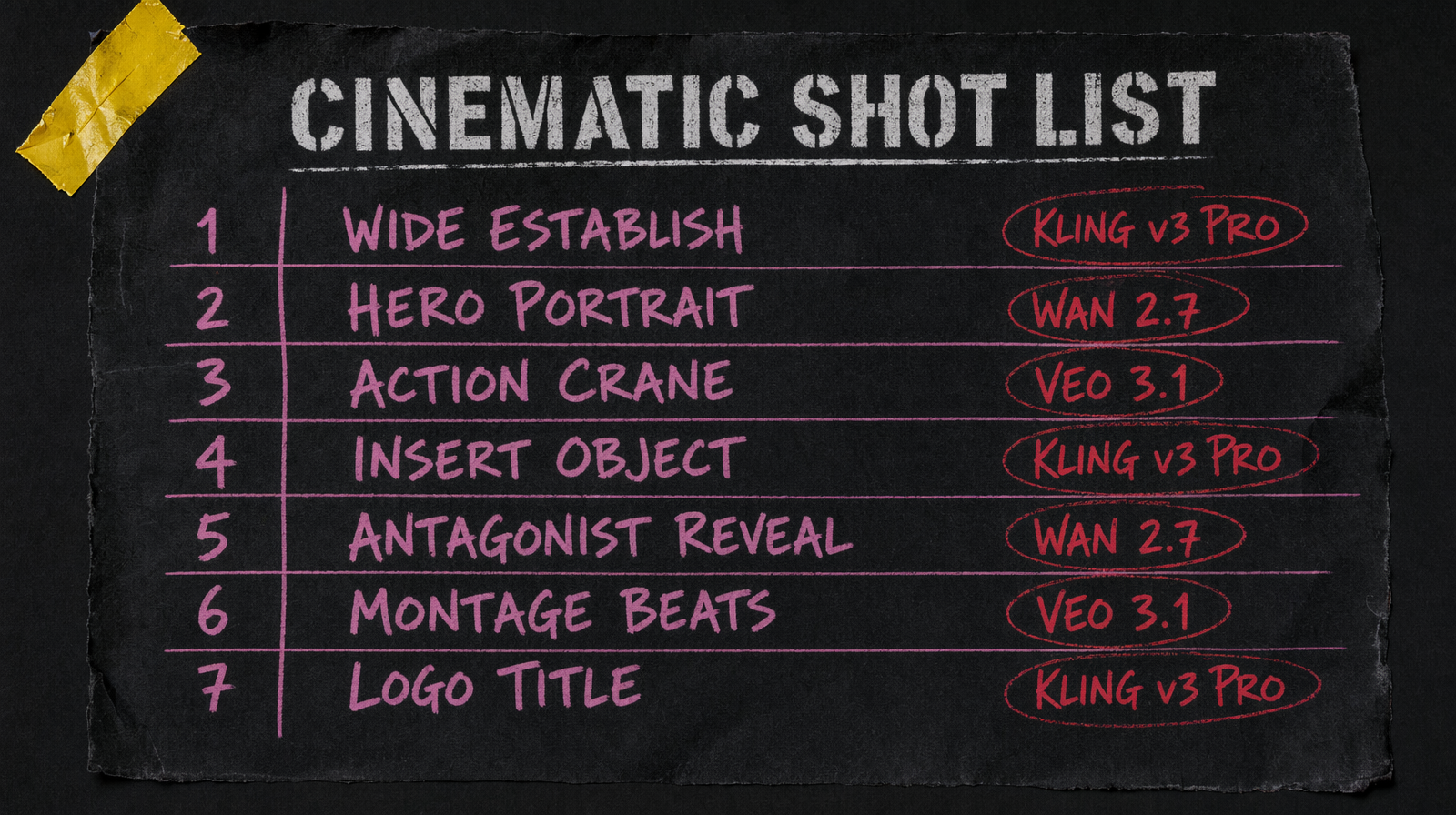
Model picks by shot type
Kling v3 Pro at $0.14 per second with multi prompt is the tool for action crane and tracking shots. Multi prompt lets you script a camera arc inside one generation, which is exactly what a tracking shot is.
Wan 2.7 at $0.10 per second handles the establish wide and the hero portrait. Quality is strong, pricing lets you iterate without budget anxiety. Use the continuation feature (when the model supports it) to extend a hero shot into a short sequence without cutting.
Veo 3.1 at $0.40 per second is for the antagonist reveal or the montage hero frame. One or two shots per trailer. This is the expensive but worth it tier.
Pixverse v6 starting at $0.03/sec (360p no audio, scaling to $0.12/sec for 1080p with audio) covers the inserts and title card bed. Cheap, fast, adequate.
Continuity rules that save you
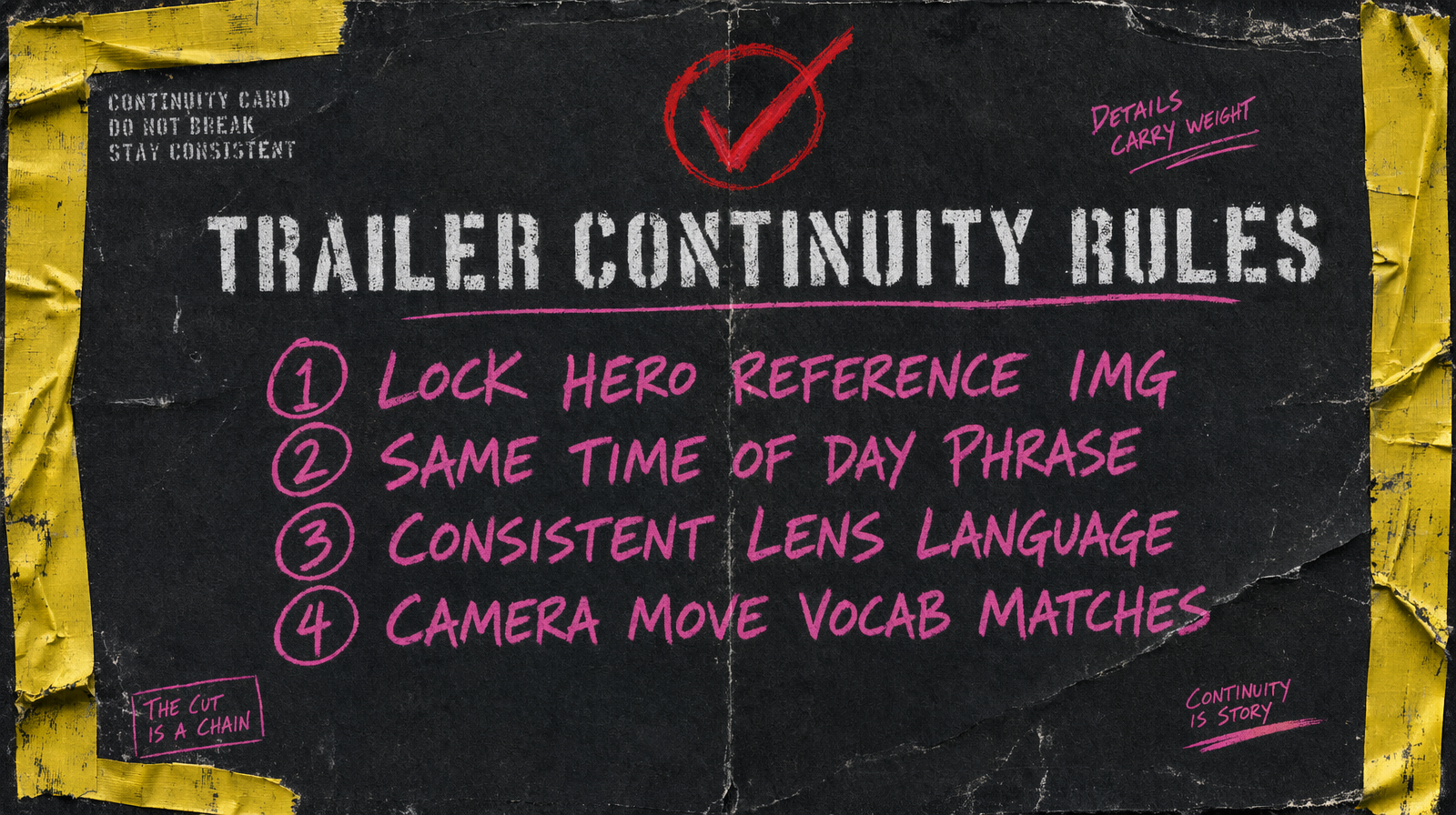
Four rules keep a trailer feeling like a single film.
Rule one, lock a hero reference image and use image to video on every shot the hero appears in. Face consistency across cuts is the single biggest determinant of whether a trailer reads as real or fake.
Rule two, write the same time of day phrase in every prompt in a given sequence. "Blue hour" in one shot and "overcast morning" in the next destroys continuity even when everything else matches.
Rule three, pick a lens language and stick with it. "Anamorphic wide with subtle distortion" through the whole sequence, not "anamorphic" in one and "shallow depth" in another. Models respect lens vocabulary more than you expect.
Rule four, use the same camera move vocabulary across shots. Pick three (say, slow push in, lateral tracking, crane descent) and repeat them. The trailer feels composed rather than random.
Rhythm and duration
Most trailer cuts are 1 to 2.5 seconds. Generate longer than you need. Trim in the edit, never stretch. For the hero reveal, generate 4 seconds and let it breathe. For the action montage, generate 2 seconds but pull the best 1 second out.
Music does the heavy lifting in a trailer. Pick your track before you generate. The tempo and the key set your cut durations and your visual mood. Prompting for "intense" visuals does not work if your soundtrack is melancholy.
Cost per trailer
A 90 second trailer with 40 cuts averages $15 to $40 in generation, heavy on Kling and Wan, thin on Veo. Expect to pay 2 to 3x that in iteration. Most teams spend more time picking cuts than generating, which is a good sign that the pipeline is working.
Common failure mode
The failure is generating shots in isolation and hoping they cut together. They usually do not. Work in sequences. Generate the three shots of your antagonist reveal in one session with the same seed, same hero reference, same lens phrase. Then move on to the next sequence.
The other failure is ignoring title card timing. The logo frame needs to hold for 1.5 to 2 seconds. That is a still image composite, not a generation, but teams forget and try to prompt a "logo reveal" which never renders correctly.