Educational Course Scenes Without Stock Footage
A process-focused workflow for educators who need abstract visualizations that stock libraries cannot provide.
Educational Course Scenes Without Stock Footage
Stock libraries have one weakness educators hit every time. You need a visual of "how neurons fire during sleep" or "a gear train transferring torque through three reductions" and there is nothing. Everything is a person in a suit pointing at a whiteboard. So you settle. Your students notice. Engagement dips.
AI video closes that gap. Not by giving you unlimited generic footage, but by giving you the specific abstract visualization your lesson needs.
Scene types that actually matter for teaching
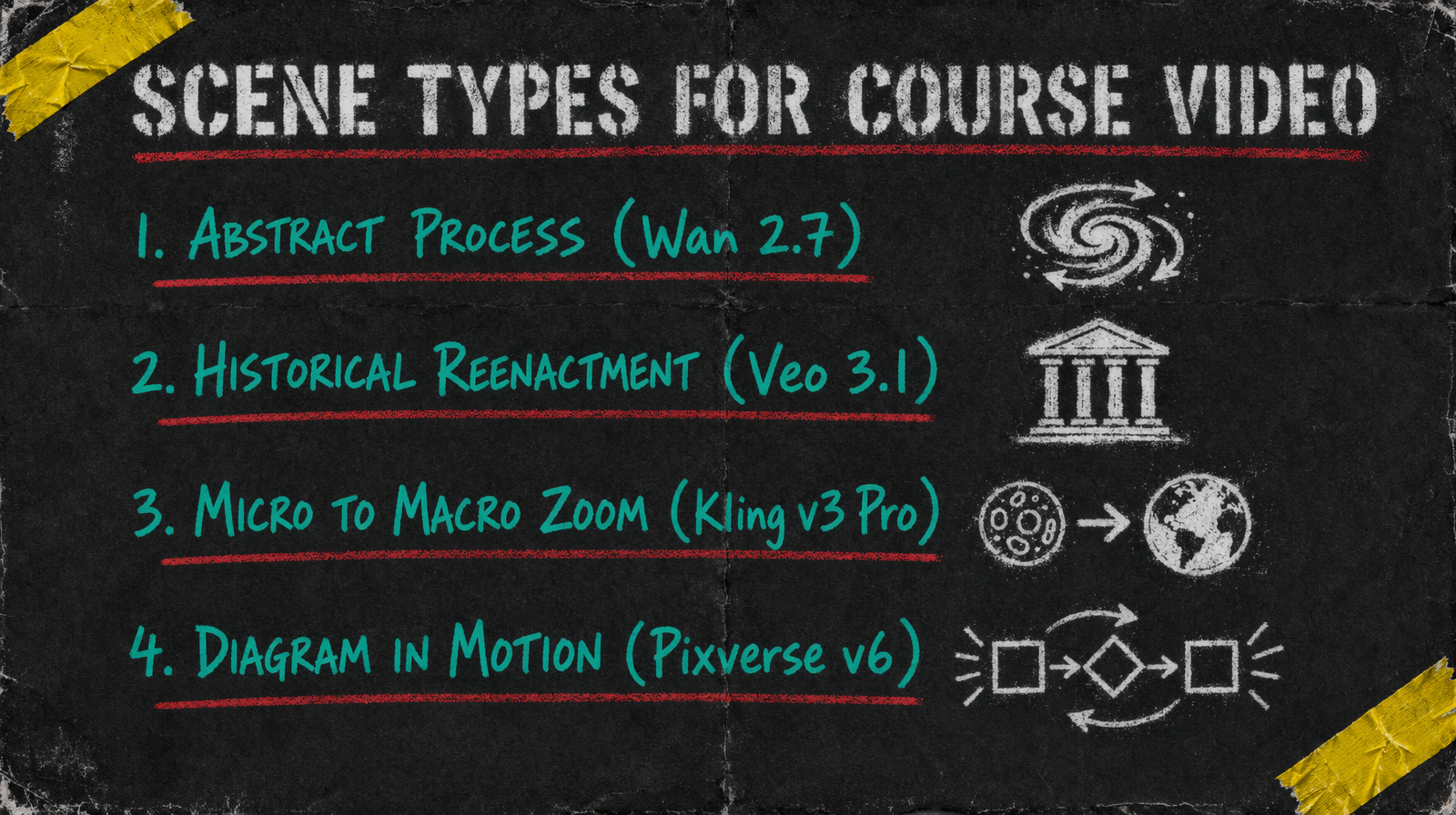
Four categories cover most course video needs. Abstract process visualizations like chemical reactions, memory formation, economic flows. Historical reenactment style scenes that do not need documentary accuracy but need period feel. Micro to macro camera moves that travel from detail to context. Diagrams in motion where a static figure animates through its states.
Each of these pairs better with a different model.
Model picks by scene type
For abstract process, use Wan 2.7 at $0.10 per second. Prompt expansion helps the model interpret concept language like "entropy increase" or "protein folding" into meaningful visuals. Keep clips at 5 to 7 seconds so you can linger during narration.
For reenactment, reach for Veo 3.1 at $0.40 per second. Yes it is the expensive tier. It is the one that handles period clothing, architecture, and lighting consistency in a way that reads as intentional rather than AI soup. Use it sparingly, one or two hero clips per lesson.
For micro to macro moves, Kling v3 Pro at $0.14 per second with multi prompt handles the camera arc better than any other model because you can script the zoom as a sequence inside one generation. Otherwise you are stitching and it always shows.
For diagrams in motion, Pixverse v6 starting at $0.03/sec (360p no audio, scaling to $0.12/sec for 1080p with audio) is the right tool. Low fidelity is a feature here, not a bug. You want diagrammatic, not photorealistic.
Prompt template that teaches
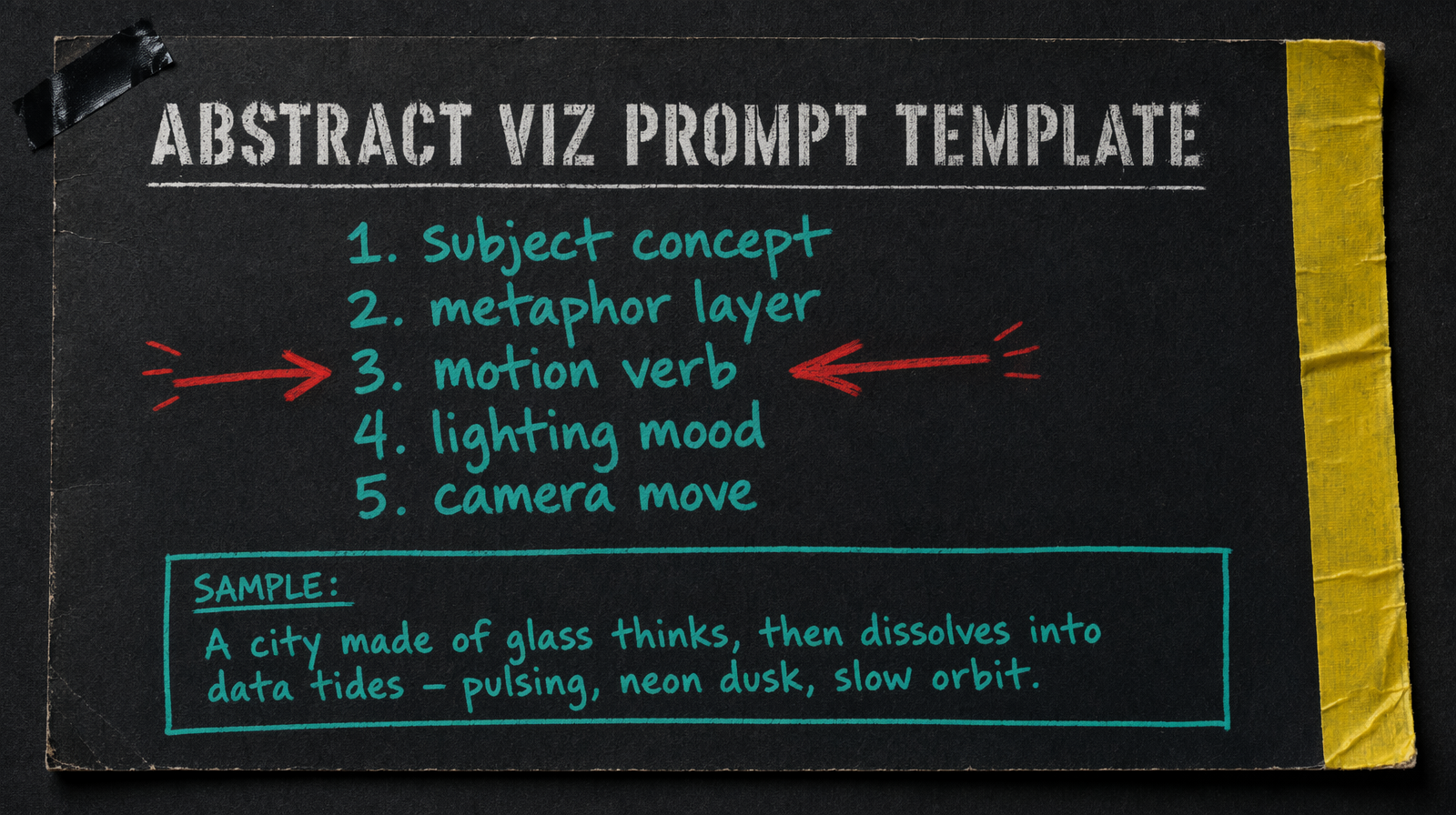
Use five lines. Subject concept, metaphor layer, motion verb, lighting mood, camera move. For a neuron firing prompt that looks like "a single neuron, rendered as a glowing tree of branching fibers, pulsing with pale blue light, in a dark biological medium, slow zoom from axon to synapse cluster". Every course prompt follows that skeleton.
Costs per lesson
A 10 minute lesson typically needs 6 to 12 scene clips. If your lesson leans on Wan 2.7 for five 6 second clips plus Pixverse for four 4 second diagrams, you are at about $3.08 in generation. Add one Veo hero at 6 seconds for $2.40 when you need the period shot. Total under $6 for a lesson that used to require a stock subscription that did not have what you needed anyway.
Common failure mode
The big miss is over specifying scientific accuracy. If you prompt "a mitochondria with exactly four cristae folds shown in cross section" the model ignores the constraint and you get something close. Accept that AI video for teaching is allegorical, not diagrammatic. When you need accuracy, use a still image for the textbook figure and use video for the emotional or conceptual framing around it.
The other failure is relying on text rendering inside the frame. Models still struggle with readable text at small sizes. Plan captions and labels as a post pass, not inside the generation. You will keep your sanity and your production time will drop by about a third.
Lessons are not film sets. Treat the AI clip as a visual metaphor your narration rides on top of, and the pipeline holds up.