Stitching Multi-Camera Sequences from T2V Output
T2V gives you independent clips. Four prompt tricks that make them feel like they were shot on the same camera rig.
Text to video gives you independent clips. Each one is its own universe. If you want the three clips to feel like coverage of the same scene from three cameras, you have to do the work in the prompt because the model has no memory between renders.
Four prompt tricks that make T2V clips feel like they came from one rig.
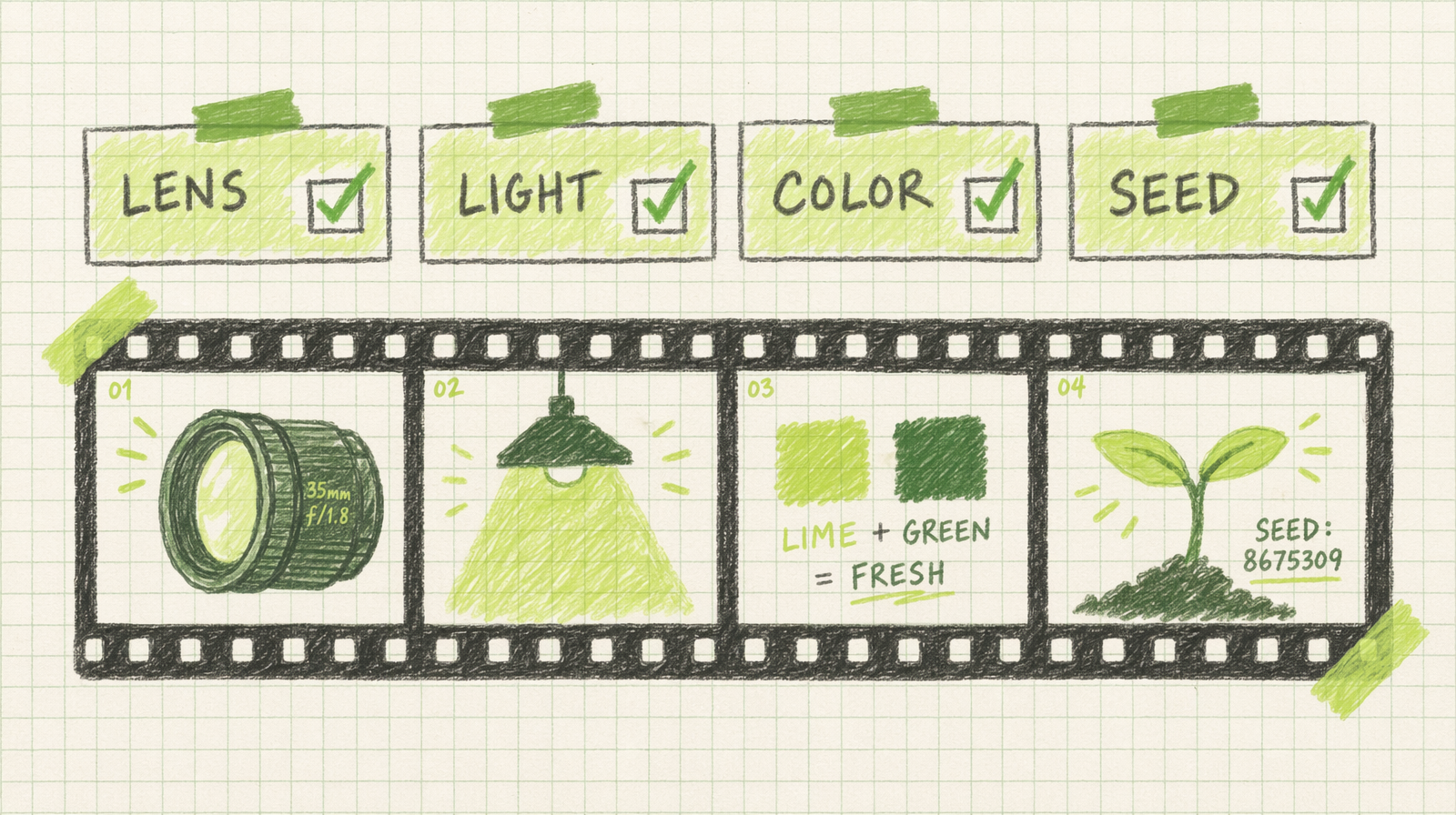
One: lock the lens language
Pick a lens and repeat it verbatim across every shot. "shot on a 35mm lens" in all three prompts. Not "35mm" in one and "wide" in another. Not "medium shot" in one and "close up" in another. The lens language sets the rendered field of view, and mixing vocabulary mixes the look.
A reliable short list: "35mm lens" for natural, "50mm lens" for tight, "85mm lens" for compressed portraits, "24mm lens" for wide. Any model will honor these as coarse controls.
Two: lock the light
"golden hour, soft warm side light from the right" on every shot. The direction matters. If shot one has light from the right and shot two has light from the left, the cut looks like a jump in time.
Be specific. "4pm spring sunlight through a kitchen window" is more useful than "warm light." The sampler has more to work with.
Three: lock color and lock mood
A single color palette phrase, repeated. "warm amber palette with teal shadows." Do not vary the adjectives across shots. Do not swap "warm" for "rich" and "amber" for "gold." Small synonym drift becomes visible drift.
Four: lock the seed where you can
Where the model gives you a seed parameter, reuse it across shots. Same seed, different prompt, same micro texture. It does not give you a perfect match, but it reduces the jitter in the small stuff.
1import fal_client23RIG = {4 "lens": "shot on a 50mm lens, shallow depth of field",5 "light": "cool overcast daylight from a north-facing window, soft shadows",6 "color": "muted blue and gray palette, low saturation",7 "seed": 44100,8}910def render(action):11 prompt = f"{action}, {RIG['lens']}, {RIG['light']}, {RIG['color']}"12 return fal_client.subscribe(13 "fal-ai/wan/v2.7/text-to-video",14 arguments={15 "prompt": prompt,16 "seed": RIG["seed"],17 "duration": 4,18 "aspect_ratio": "16:9",19 "enable_prompt_expansion": False,20 },21 )2223wide = render("a wide shot of a woman at a desk writing in a notebook")24medium = render("a medium shot of the woman from her left side writing")25insert = render("a close up insert of the pen tip on the paper")
Three shots, three clips, one rig. Expansion off so the language stays verbatim.
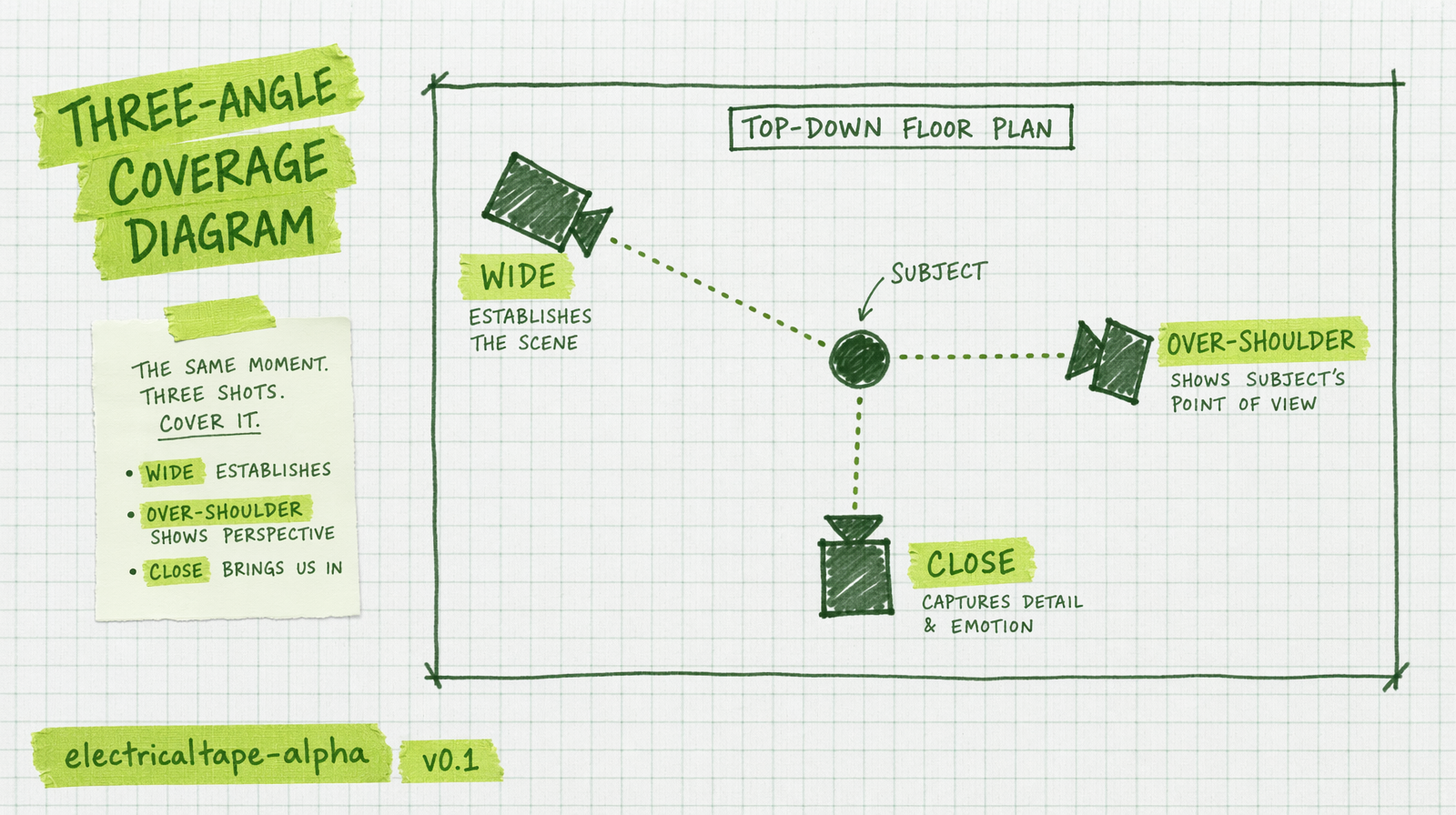
Kling v3 Pro has multi prompt
If you want native multi shot from one model, Kling v3 Pro has a multi_prompt field that lets you define a sequence of shots in one request. Durations attach to each. This gives you temporal coherence that stitching independent clips does not.
1kling = fal_client.subscribe(2 "fal-ai/kling-video/v3/pro/text-to-video",3 arguments={4 "multi_prompt": [5 {"prompt": "wide of the woman at her desk, 35mm, cool overcast light", "duration": 4},6 {"prompt": "medium over the shoulder, same woman writing, same light", "duration": 4},7 {"prompt": "close up on the pen tip on the paper, same lighting", "duration": 3},8 ],9 "aspect_ratio": "16:9",10 "shot_type": "customize",11 },12)
At $0.14 per second across 11 seconds that is $1.54 for a native three shot sequence. Not cheap, but the match across shots is better than stitching.
What still breaks
Specular highlights. Metal, glass, water. These shift between renders even with matched rigs. Try to design around them for stitched work, or render on Kling multi prompt where the internal consistency is higher.
Faces at the edge of frame. Move the subject to the middle third if you can.
Camera moves that leave and return. A dolly out followed by a dolly in across two T2V clips never matches. Use one long clip with a planned move or switch to image to video with a held anchor.