end_image_url Is an I2V Parameter: Chain Without Mistakes
Only specific endpoints accept end_image_url, and it lives on the image-to-video variants. Kling uses start_image_url instead. Here's what each model actually does with the anchor.
Every generation call is stateless
The model generating shot four has zero memory of shots one through three. No character, no lighting, no camera state. The eye catches discontinuity at every cut.
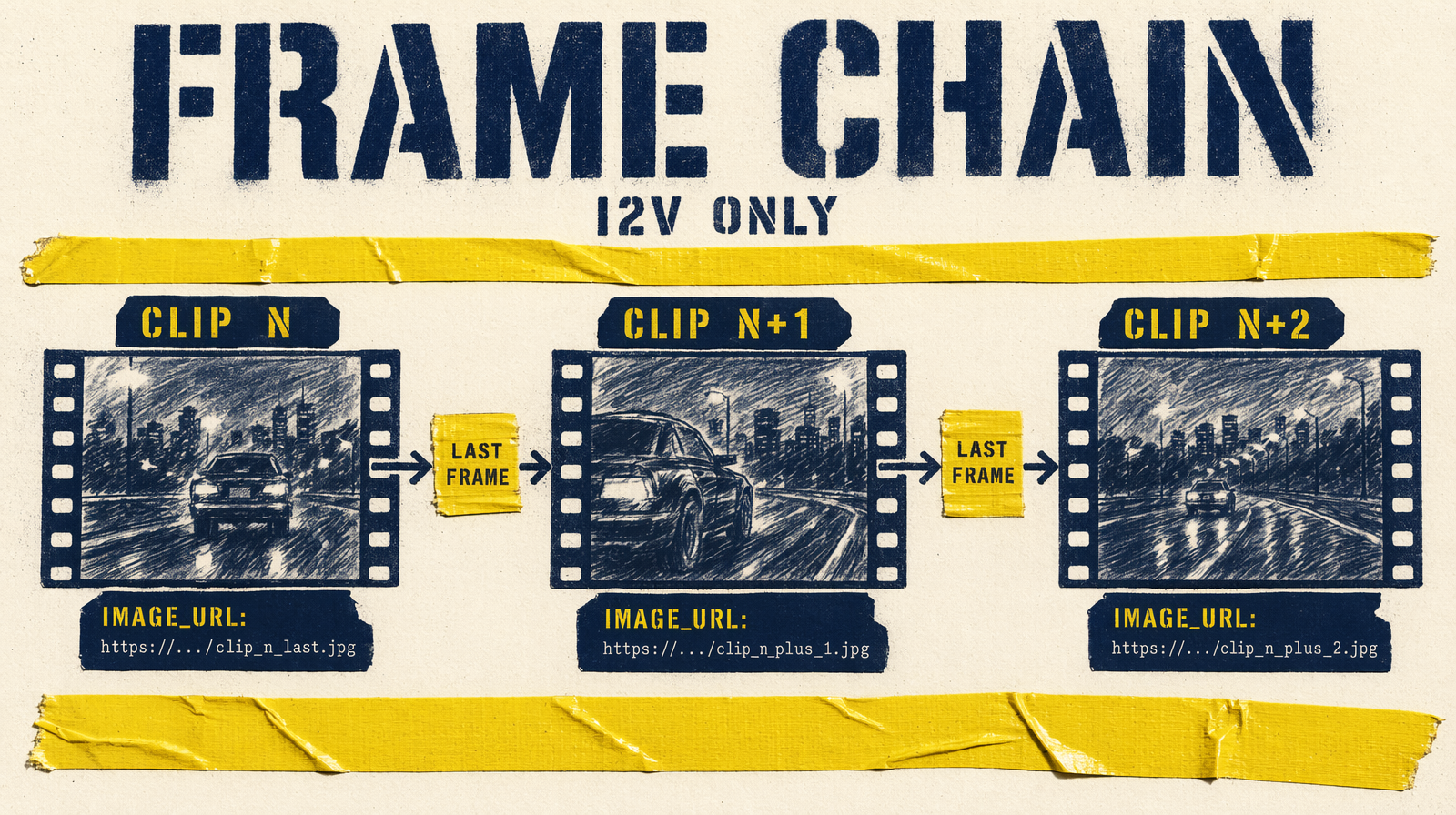
Frame chaining is the mechanical fix. Extract the last frame of clip N, upload, pass the URL into N+1 as a start anchor. The model treats it as a strong visual prior. Prompt still matters, the frame anchors the edge, not the interior.
The mistake people make: assuming end_image_url works on text-to-video endpoints. It doesn't. This parameter lives on I2V endpoints only.
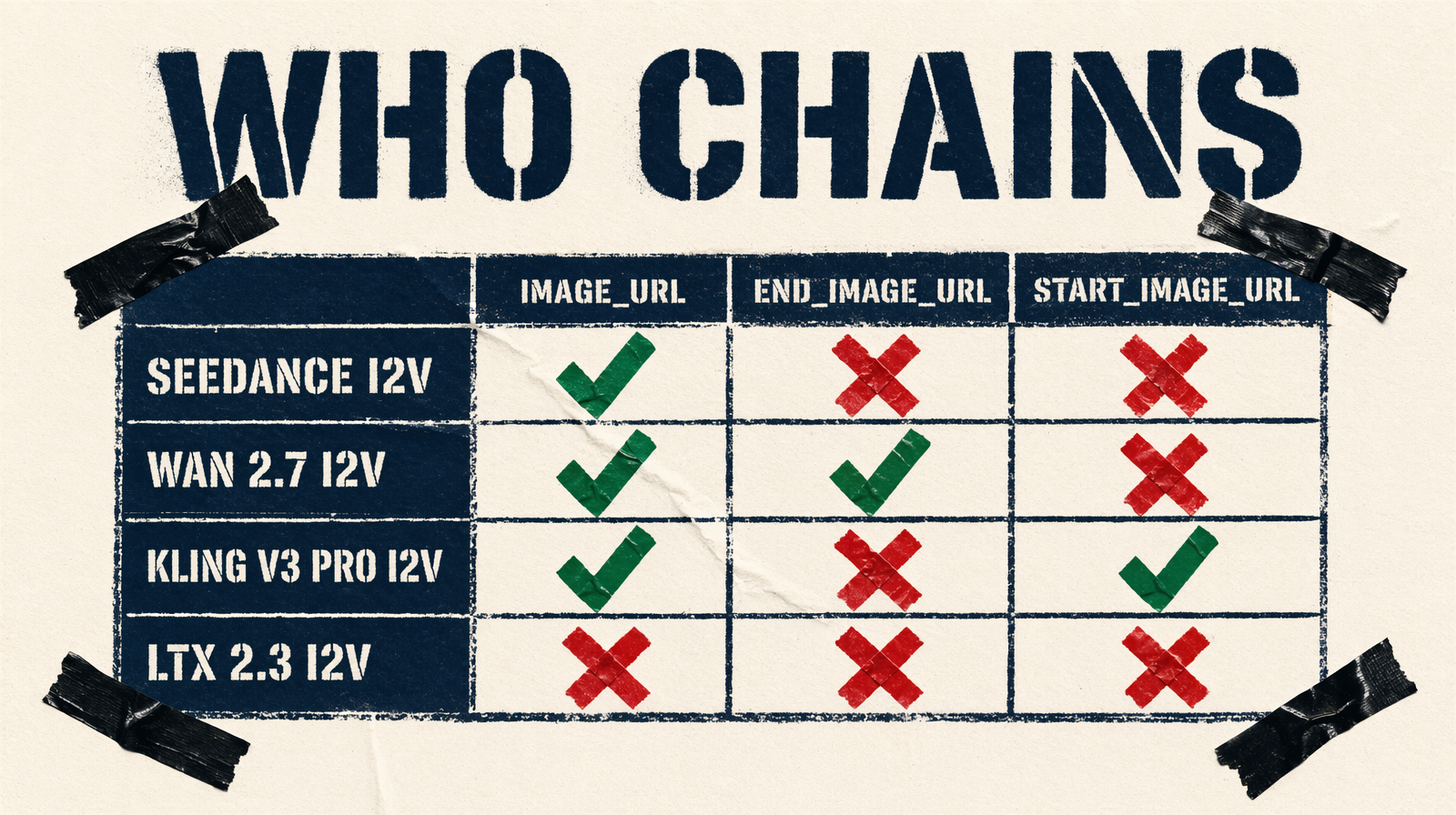
Which endpoints support chaining
| Endpoint | Params |
|---|---|
| `bytedance/seedance-2.0/image-to-video` | `image_url`, `end_image_url` |
| `fal-ai/wan/v2.7/image-to-video` | `image_url`, `end_image_url`, `video_url` |
| `fal-ai/kling-video/v3/pro/image-to-video` | `start_image_url`, `end_image_url`, `elements` |
| `fal-ai/ltx-2.3/image-to-video` | `image_url`, `end_image_url` |
| All T2V endpoints | None, prompt-only |
Four I2V endpoints for frame-chained sequences. Everything else is prompt-only.
Extracting the transition frame
Ffmpeg, last frame:
1ffmpeg -sseof -0.1 -i shot_04.mp4 -vframes 1 -q:v 2 shot_04_last.jpg
Upload to a CDN or fal storage. Pick a clean frame, no motion blur, clear subject, stable lighting. A blurry last frame anchors the next clip to that blur.
Seedance 2.0 I2V, both ends
Accepts image_url (start, required) and end_image_url. With both, the clip is a transition from start to end:
1fal_client.run("bytedance/seedance-2.0/image-to-video", arguments={2 "prompt": "the courier crosses the rooftop, camera tracking at shoulder height",3 "image_url": hero_shot_last_frame_url,4 "end_image_url": next_hero_first_frame_url,5 "duration": "6",6})
This inverts generation order: render hero moments first, fill connective tissue between them.
Wan 2.7 I2V, first-and-last-frame mode
Accepts image_url, end_image_url, and video_url (continue from a prior clip). With both image URLs it runs first-and-last-frame-to-video.
Critical: enable_prompt_expansion defaults to true. Expansion rewrites your prompt and deprioritizes the end frame constraint. Turn it off:
1fal_client.run("fal-ai/wan/v2.7/image-to-video", arguments={2 "prompt": "the subject walks from the window toward the door",3 "image_url": previous_last_frame_url,4 "end_image_url": next_scene_first_frame_url,5 "duration": 6,6 "resolution": "1080p",7 "enable_prompt_expansion": False,8 "seed": 42,9})
Kling v3 Pro I2V, start_image_url outlier
Parameter is start_image_url (required), not image_url. Also supports elements, character or object references tagged as @Element1 in the prompt. For recurring characters, elements is the strongest continuity tool on fal:
1fal_client.run("fal-ai/kling-video/v3/pro/image-to-video", arguments={2 "start_image_url": previous_last_frame_url,3 "end_image_url": next_target_frame_url,4 "prompt": "@Element1 continues walking toward the door",5 "elements": [{6 "frontal_image_url": character_front_url,7 "reference_image_urls": [character_side_url],8 }],9 "duration": "6",10 "cfg_scale": 0.7,11})
No seed on Kling. Anchor via frames and elements; no exact reproduction.
LTX 2.3 I2V, 2160p chaining
The only I2V endpoint supporting 2160p. For premium deliverables, this is where you chain. Durations fixed at 6s, 8s, 10s. Match fps across chained clips, 24 outgoing, 48 incoming creates a perceptual speed mismatch that reads as a glitch.
Limits
Chaining anchors the edges. It does not guarantee the middle of the clip matches. Camera angle, depth of field, background, prompt-driven, drift unless encoded.
One-frame chaining doesn't solve character identity across long sequences. For that use Kling's elements, or Wan's seed discipline with a locked subject description.
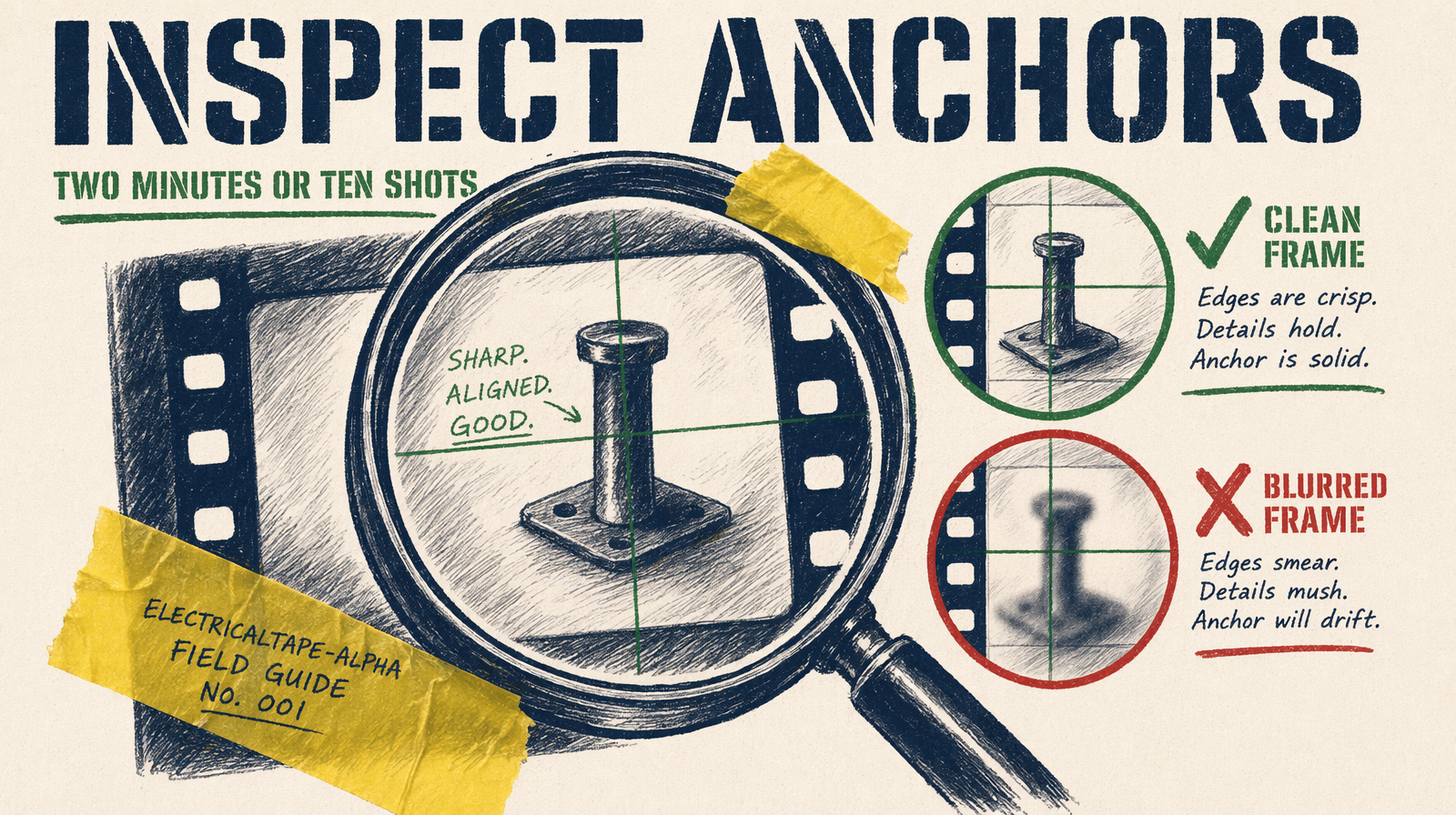
The failure mode to catch before the batch
Sneaky failure: your transition frame has artifacts you didn't notice. Clipped fingertip, weird shadow. The next clip inherits them as its anchor. Ten clips downstream, all carrying the malformation.
Before chaining: open the JPG at full resolution. Look at hands, face, hair edges. If anything is off, use -sseof -0.3 instead of -0.1 to extract an earlier frame. Two minutes. Chaining bad anchors through ten shots costs the whole sequence.