Designing Shot Durations Before You Burn Your First Render
If every clip is 6 seconds you've given your editor a slide show. Map durations against the narrative arc before the first API call, here's how to do it per-model.
Rhythm is a generation decision
In live film, rhythm is an edit decision. In AI video, you pay per second. Every shot at 6 seconds leaves your editor stuck manufacturing rhythm from uniform blocks.
Design durations before generation. Short clips feel urgent. Long clips feel contemplative. Short-long-short creates narrative beat structure. Decide that in the shot bank, not the edit.
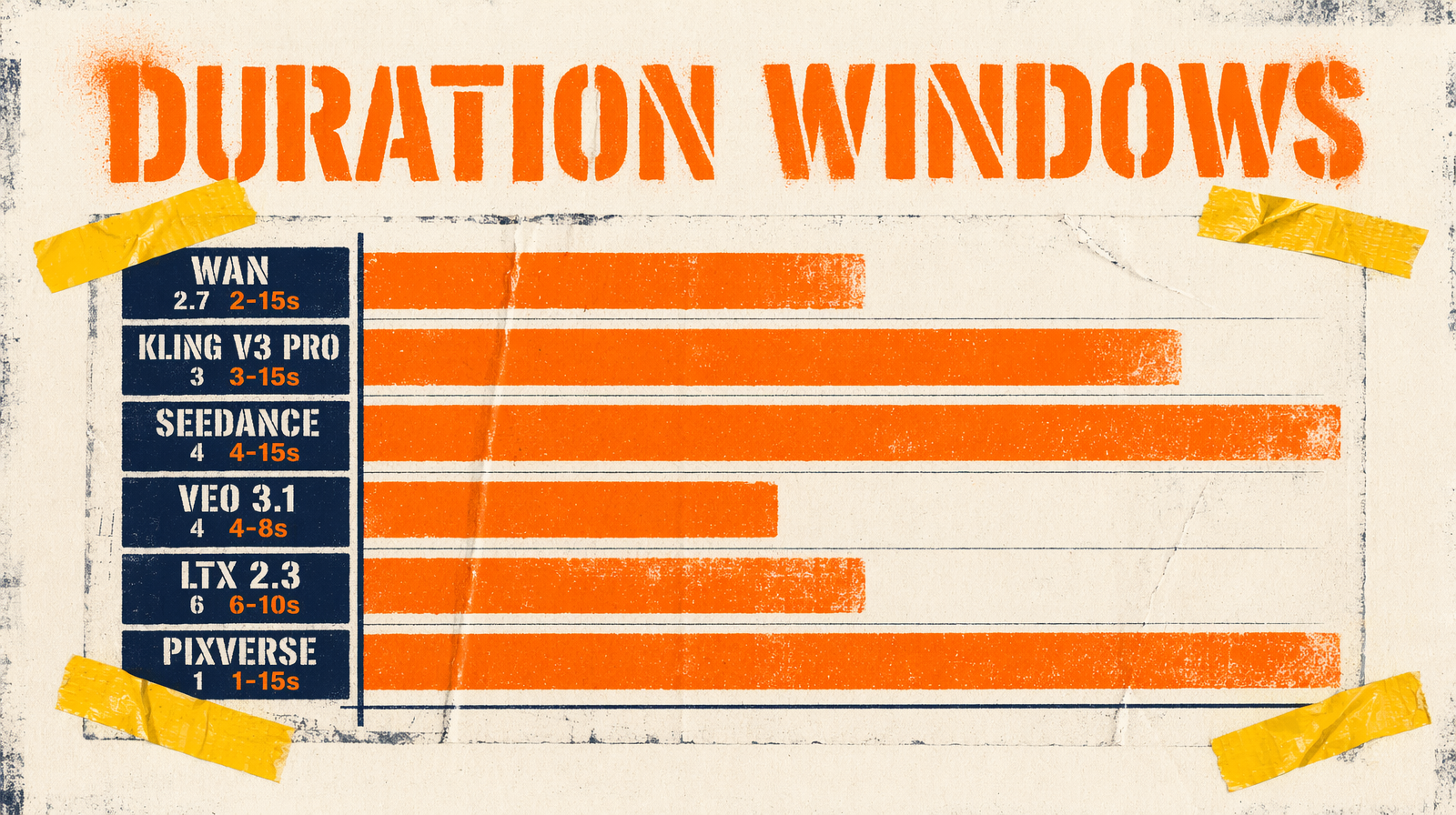
Per-model duration constraints
| Model | Endpoint | Duration | Type |
|---|---|---|---|
| Wan 2.7 | `fal-ai/wan/v2.7/text-to-video` | 2-15s | integer |
| Kling v3 Pro | `fal-ai/kling-video/v3/pro/text-to-video` | 3-15s | string enum |
| Seedance 2.0 | `bytedance/seedance-2.0/text-to-video` | 4-15s or `auto` | string |
| Veo 3.1 | `fal-ai/veo3.1` | 4s, 6s, 8s | fixed string |
| LTX 2.3 | `fal-ai/ltx-2.3/text-to-video` | 6s, 8s, 10s | integer enum |
| Pixverse v6/C1 | `fal-ai/pixverse/v6/text-to-video` | 1-15s | integer |
Wan goes down to 2s. Pixverse v6/C1 down to 1s. Veo and LTX have the tightest floors, nothing under 4s on Veo, 6s on LTX.
If your sequence needs rapid 2-3s cuts for an action beat, Veo and LTX can't do it alone. Mix: Wan or Pixverse for the short cuts, Veo for the establishing and resolution shots.
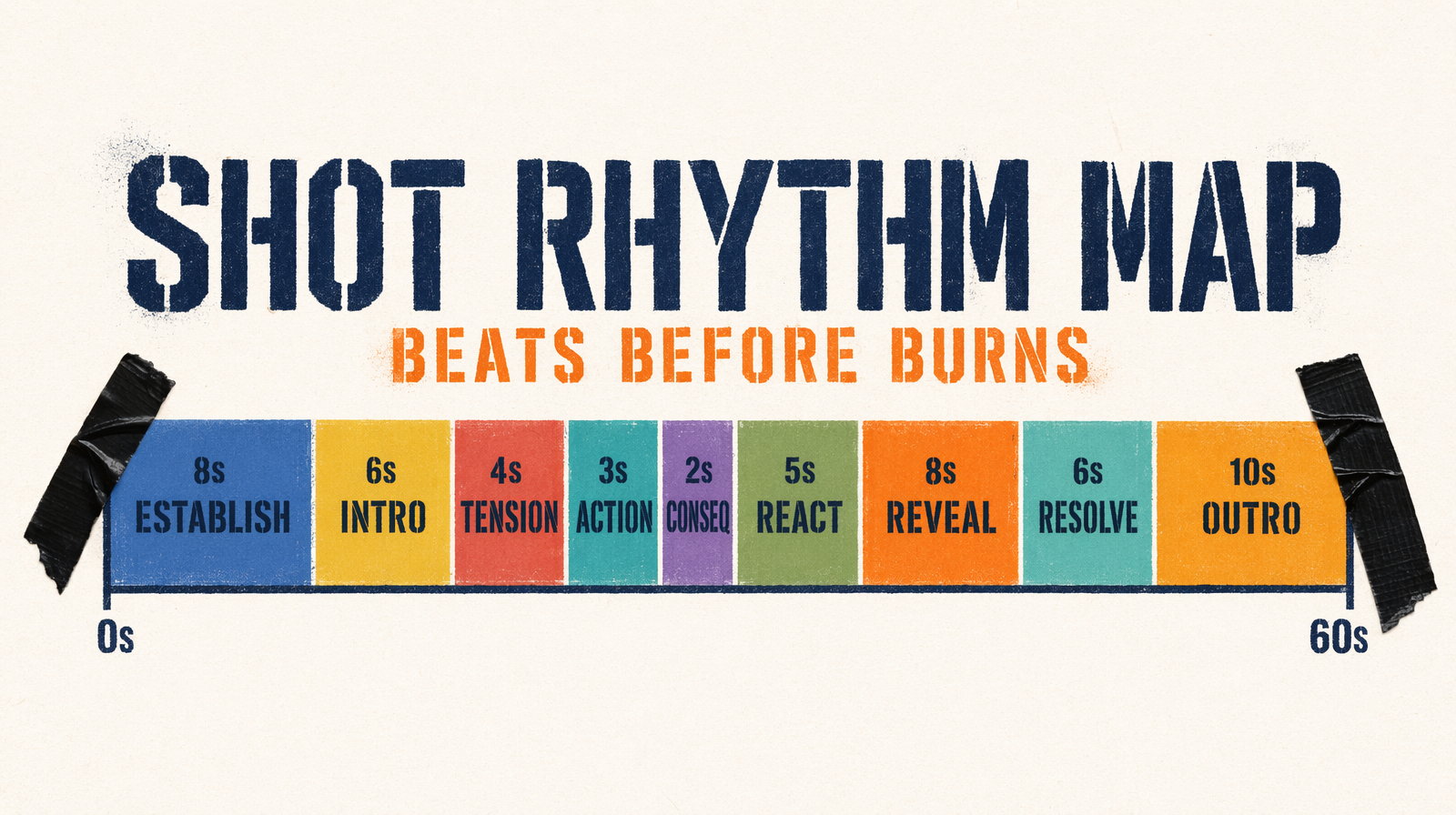
Designing a timing map
Before any prompts, write durations as a map. Example 60s sequence:
11 establish: 8s slow pan22 introduce: 6s character enters33 tension: 4s reaction44 action: 3s fast cut55 action: 2s consequence [Wan/Pixverse]66 reaction: 5s emotional beat77 reveal: 8s slow wide88 resolve: 6s character decision99 outro: 10s pull-back [LTX]
52s raw footage. Pattern 8-6-4-3-2-5-8-6-10 breathes. Not nine clips of 6 seconds.
Seedance duration: "auto"
Seedance picks length based on the prompt's semantic density. High-action prompts produce longer clips; minimal prompts shorter ones.
Use auto for the first draft pass. Generate all nine shots on auto and see what the model picks. Then lock durations for production.
1for prompt in draft_prompts:2 result = fal_client.run("bytedance/seedance-2.0/text-to-video", arguments={3 "prompt": prompt,4 "duration": "auto",5 "aspect_ratio": "16:9",6 "resolution": "720p",7 "seed": 42,8 })
That's your baseline timing map.
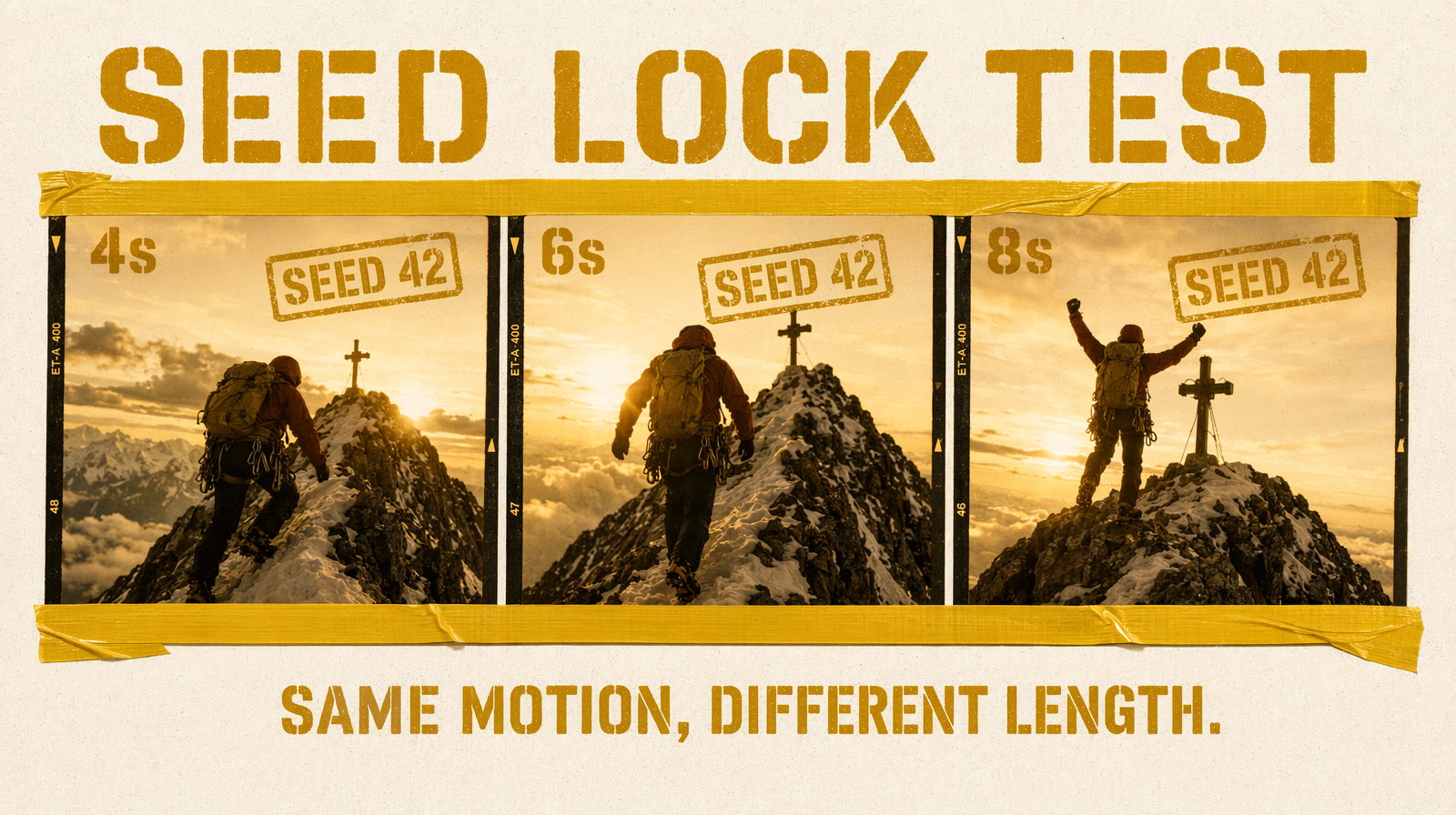
Testing rhythm with a fixed seed
Comparing 4s vs 6s vs 8s for the same shot, fix the seed. On Wan 2.7, same seed with different durations produces largely the same motion pattern at different lengths, you make an informed editorial decision:
1base = {2 "prompt": "A climber reaches a summit, exhausted but triumphant, golden hour backlight",3 "aspect_ratio": "16:9",4 "enable_prompt_expansion": False,5 "seed": 42,6}78for duration in [4, 6, 8]:9 fal_client.run("fal-ai/wan/v2.7/text-to-video",10 arguments={**base, "duration": duration})
Three renders at ~$0.30 each on 1080p Wan. Cheaper than generating all shots at 6s and discovering in the edit that the summit moment needed to linger.
Kling's multi_prompt shortcut
Kling v3 Pro accepts multi_prompt, array of per-shot prompts with durations, rendered as one continuous video. For tight rhythm inside a single 15-second clip, this replaces your stitching pipeline:
1fal_client.run("fal-ai/kling-video/v3/pro/text-to-video", arguments={2 "multi_prompt": [3 {"prompt": "wide establishing of a mountain summit at dawn", "duration": "6"},4 {"prompt": "climber approaches summit, exhausted", "duration": "4"},5 {"prompt": "close-up of climber's face, tears of relief", "duration": "3"},6 ],7 "shot_type": "customize",8 "aspect_ratio": "16:9",9 "cfg_scale": 0.7,10})
13 seconds in one call. You lose the ability to regenerate one shot independently; you gain continuity between beats.
The failure mode to catch early
Burning through a full timing map before checking pace is the classic mistake. You generate all nine shots, stitch, discover shots 3 and 4 combined feel rushed because you forgot a 1-second breath between them.
Catch it before: put the timing map into a text file as an ASCII timeline, one character per half-second. Read it aloud at conversational pace. If the fast section feels compressed or the slow drags, fix the map now. Every second you add or remove here is a second you don't pay to render.