end_image_url: A Field Guide to First-and-Last-Frame
Where end_image_url is available, where it is not, and the motion-arc math that makes transitions land.
end_image_url is one of those parameters that looks optional in the schema and is actually load bearing in production. It lets you pin the last frame of a generation to a specific image, which means transitions into the next shot can be planned frame exact instead of hoped for.
Not every model supports it, and the ones that do interpret it differently. This is the field guide I wish I had on day one.
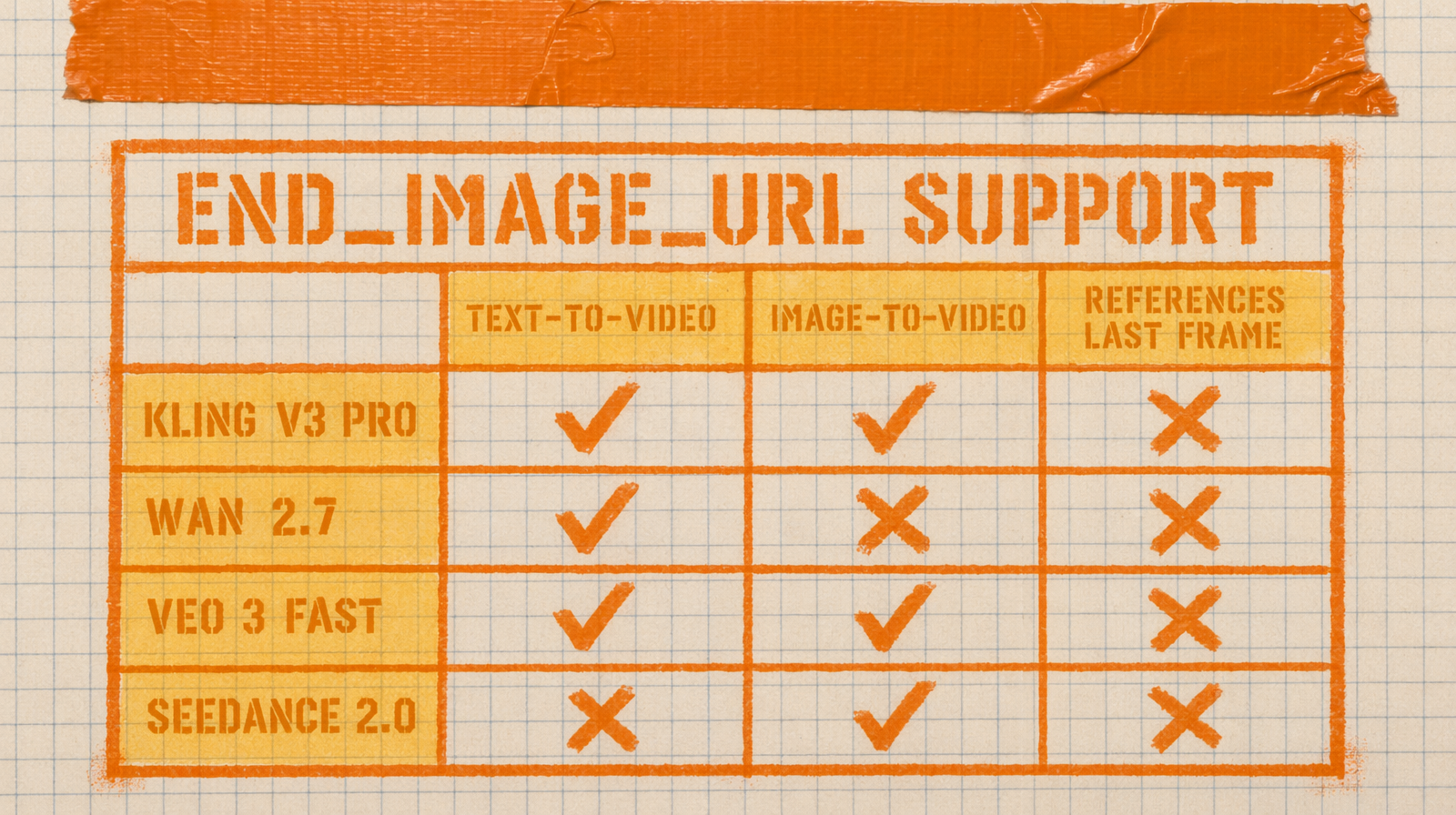
Where it lives
Kling image to video has it. Wan 2.7 image to video has it under the same name. Seedance 2.0 has it in the first-last-frame variant. Veo 3 Fast does not expose it. Pixverse C1 has it. Check the schema before you assume.
The pattern is consistent when present. You pass image_url as the start frame and end_image_url as the last frame. The model has to invent the motion that connects the two.
A simple call
1import fal_client23result = fal_client.subscribe(4 "fal-ai/kling-video/v3/pro/image-to-video",5 arguments={6 "image_url": "https://cdn.example.com/pose_a.png",7 "end_image_url": "https://cdn.example.com/pose_b.png",8 "prompt": "the character turns smoothly from pose A to pose B, natural weight shift, no jump cuts",9 "duration": "5",10 },11)
The duration here is not cosmetic. It is the time budget the model has to move from A to B. Pick too short and the motion snaps. Pick too long and the model invents filler, often awkward pauses or extra micro motions.
The motion arc rule
Think about the middle of the clip, not the ends. Your start and end frames are locked. Everything between is a curve the model draws. If the two poses are too different, the curve becomes a squiggle.
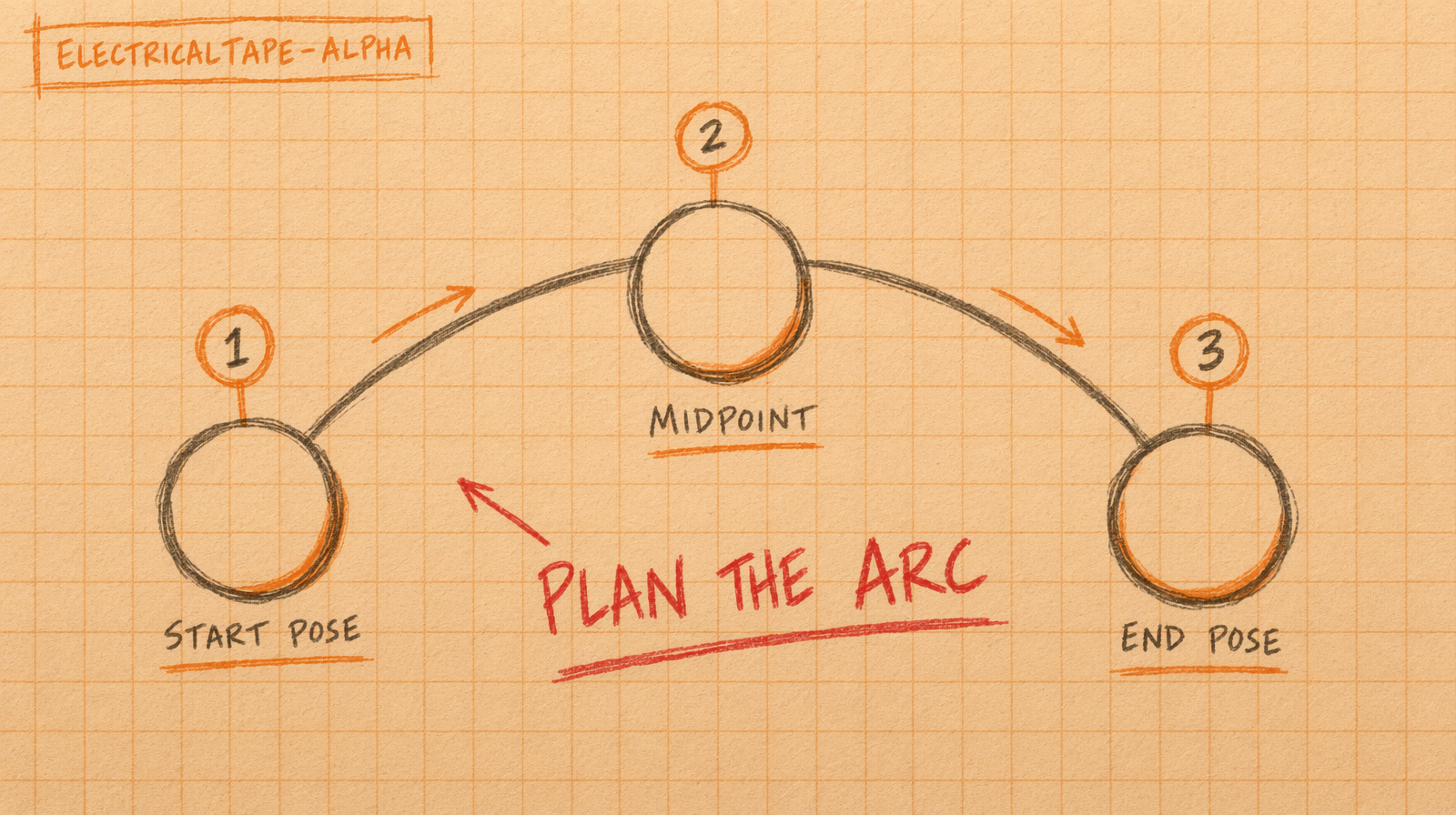
Good pairs: same subject, same framing, small pose delta. A person standing, then the same person seated in the same room. A car stopped, then the same car parked three meters forward.
Bad pairs: different subjects, different camera angles, or big lighting changes. The model will try to morph and it looks like a morph.
Prompt text still matters
Do not skip the prompt when using first and last frame. The prompt tells the model how to move between the anchors. Describe the motion verb, the camera behavior, and anything you want to stay still.
Example that works: "the character turns her head from looking down to looking directly at camera, shoulders steady, background unchanged."
Example that does not: "beautiful transition, cinematic, high quality." The model has to guess.
Cost trade
For a five second clip at $0.14 per second on Kling v3 Pro, you are at $0.70 for a shot with a locked first and last frame. Compare that to rendering three open ended T2V shots and hoping one lands, which is $2.10 for the same outcome. First and last frame is a discipline tax you pay once per shot and cash back on in predictability.
For longer sequences, chain the clips. The end_image_url of shot one becomes the image_url of shot two. You get a continuous scene built from controllable pieces.