Kling v3 Pro: Writing a multi_prompt Shot List
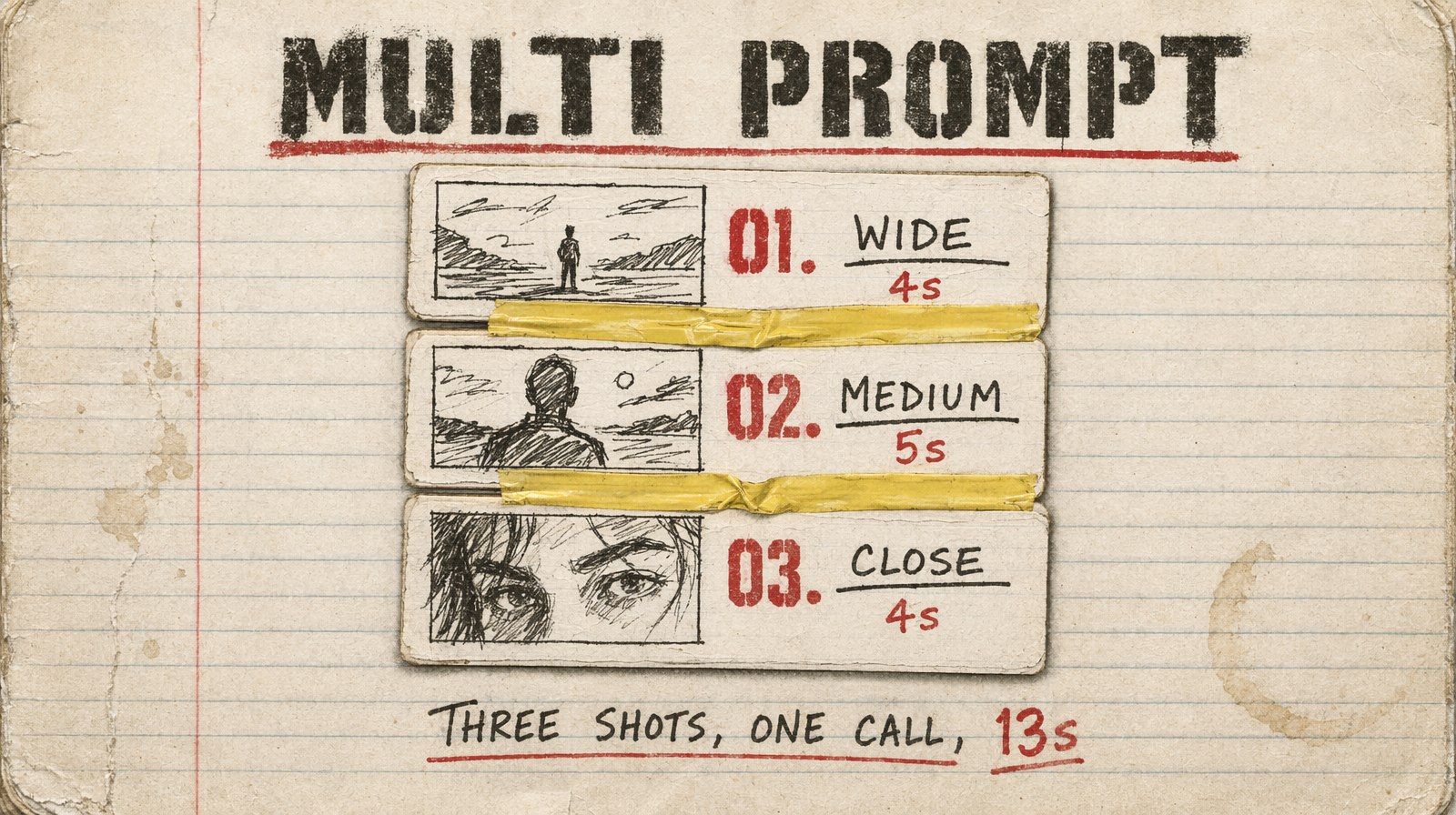
Kling v3 Pro's `multi_prompt` array lets you script three shots inside one 15-second generation. The cost is the same as a single-prompt call, $0.14/sec, but you get a real cut, not a dissolve.
The feature that changes the math
The default Kling v3 Pro call uses prompt. One scene, one camera, one cut point where the clip ends. The feature most people miss: pass multi_prompt instead, an array of {prompt, duration} objects, and the model renders a multi-shot sequence inside a single generation. Same price per second. Actual cuts inside the clip.
Total duration across all shots stays at or under 15 seconds. Each shot must be at least 3 seconds. prompt and multi_prompt are mutually exclusive, pass one or the other, never both, or the call errors.
What a working multi_prompt looks like
1[2 { "prompt": "Establishing wide shot of a rain-soaked Tokyo street at night, neon signs reflecting in puddles. Cinematic grade, 35mm.", "duration": 4 },3 { "prompt": "Medium shot of @Element1 stepping off a bus, collar raised, rain dripping from his hat. Warm key light from frame left.", "duration": 5 },4 { "prompt": "Close-up of @Element1's face: determined expression, neon on his cheek. Shallow depth of field, film grain.", "duration": 4 }5]
Three shots, 13 seconds, one call. Each prompt is self-contained, its own camera, lighting, framing. The @Element1 reference pulls from the elements array in image-to-video mode to keep the character consistent across cuts.
The mistake people make
Writing shots as a running narrative (the character walks into the bar / then he sits down / and orders a drink) fails. Each entry is generated as its own shot with no shared context. "Then he sits down" assumes continuity the model does not have, who, where, in what lighting? Three shots that do not match.
Each shot needs to repeat the critical anchors, location, lighting, grade, because the model will not carry them forward. That is why the tavern example above repeats candlelit, warm amber light, firelight across all three shot descriptions.
cfg_scale is a dial you should move
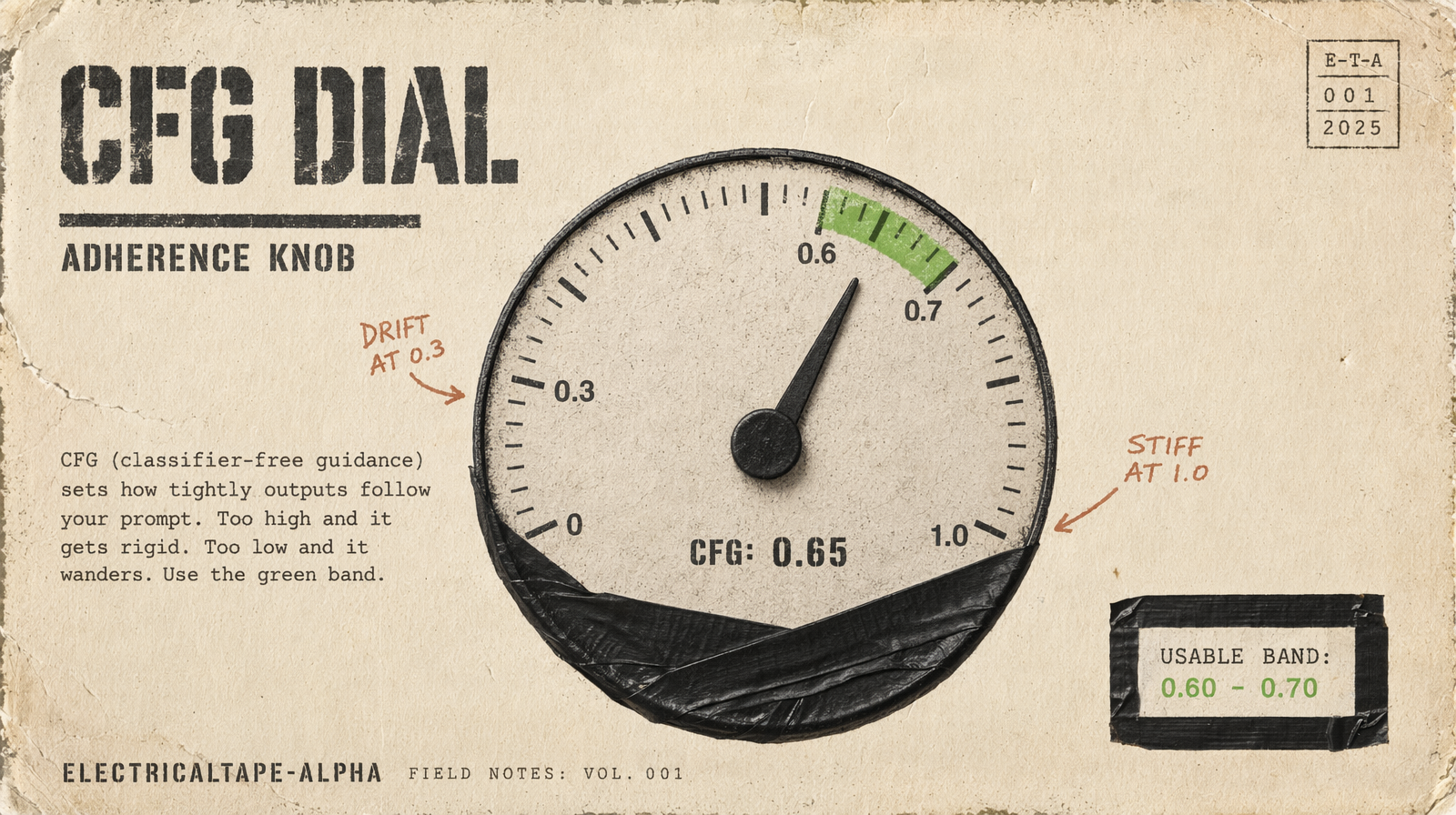
cfg_scale defaults to 0.5, range 0 to 1. Higher values increase prompt adherence. For cinematic work where specific compositions and lighting need to hold, 0.6 to 0.7 is the usable range. At 1.0 you get very literal but sometimes stiff execution. Below 0.3 the prompt stops steering. Unlike most models, Kling's cfg_scale actually reads as a knob.
Negative prompt
The default is "blur, distort, and low quality". Extending it helps:
1blur, distort, low quality, watermark, text overlay, duplicate frames, flickering, overexposed highlights, cartoon style, CGI look
For people, add deformed hands, extra fingers, facial warping, floating limbs. These are the artifacts Kling is most likely to produce.
The elements system
In image-to-video mode, elements locks character appearance across a sequence:
1"elements": [{2 "frontal_image_url": "https://example.com/character-front.png",3 "reference_image_urls": ["https://example.com/character-side.png"]4}]
Reference as @Element1 (1-indexed). This holds character better than plain-language subject description, which drifts shot-to-shot inside a multi_prompt call.
Motion specificity
Kling is strong on human motion. a woman walking renders as slow drift; a woman walking briskly, arms swinging, head bowed into the wind renders with weight. For expressions, name the micro-expression: a faint reluctant smile pulling at the corner of her mouth beats she smiles.
A full call
1const result = await fal.subscribe("fal-ai/kling-video/v3/pro/text-to-video", {2 input: {3 multi_prompt: [4 { prompt: "Wide establishing shot of a rain-wet Tokyo intersection at 3am, neon reflected in puddles, anamorphic lens flare.", duration: 4 },5 { prompt: "Medium shot of a lone figure crossing the intersection, coat collar up, slow tracking shot from behind.", duration: 5 },6 { prompt: "Close-up of rain striking the figure's shoulder, slow-motion, neon reflections on wet fabric.", duration: 4 }7 ],8 aspect_ratio: "16:9",9 cfg_scale: 0.65,10 generate_audio: true,11 negative_prompt: "blur, distort, low quality, watermark, duplicate frames, flickering, cartoon"12 },13});
What to strip
high quality,beautiful,amazing, no useful prior- Two simultaneous actions in one shot prompt, let
multi_promptcarry the sequence - The outer
durationfield when usingmulti_prompt, each shot'sdurationcontrols length, outer field is ignored