The fal JavaScript Client: A Tutorial That Respects Your Time
Install, configure, submit, poll, result. Ten minutes from npm install to first rendered video.
Install and set a key
1npm install @fal-ai/client
1import { fal } from "@fal-ai/client";23fal.config({ credentials: process.env.FAL_KEY });
Never hardcode the key. Never ship it in a client bundle. The client runs on the server. If you are in Next.js, that means a route handler or a server action. The browser talks to your server, your server talks to fal.
The three modes you will use
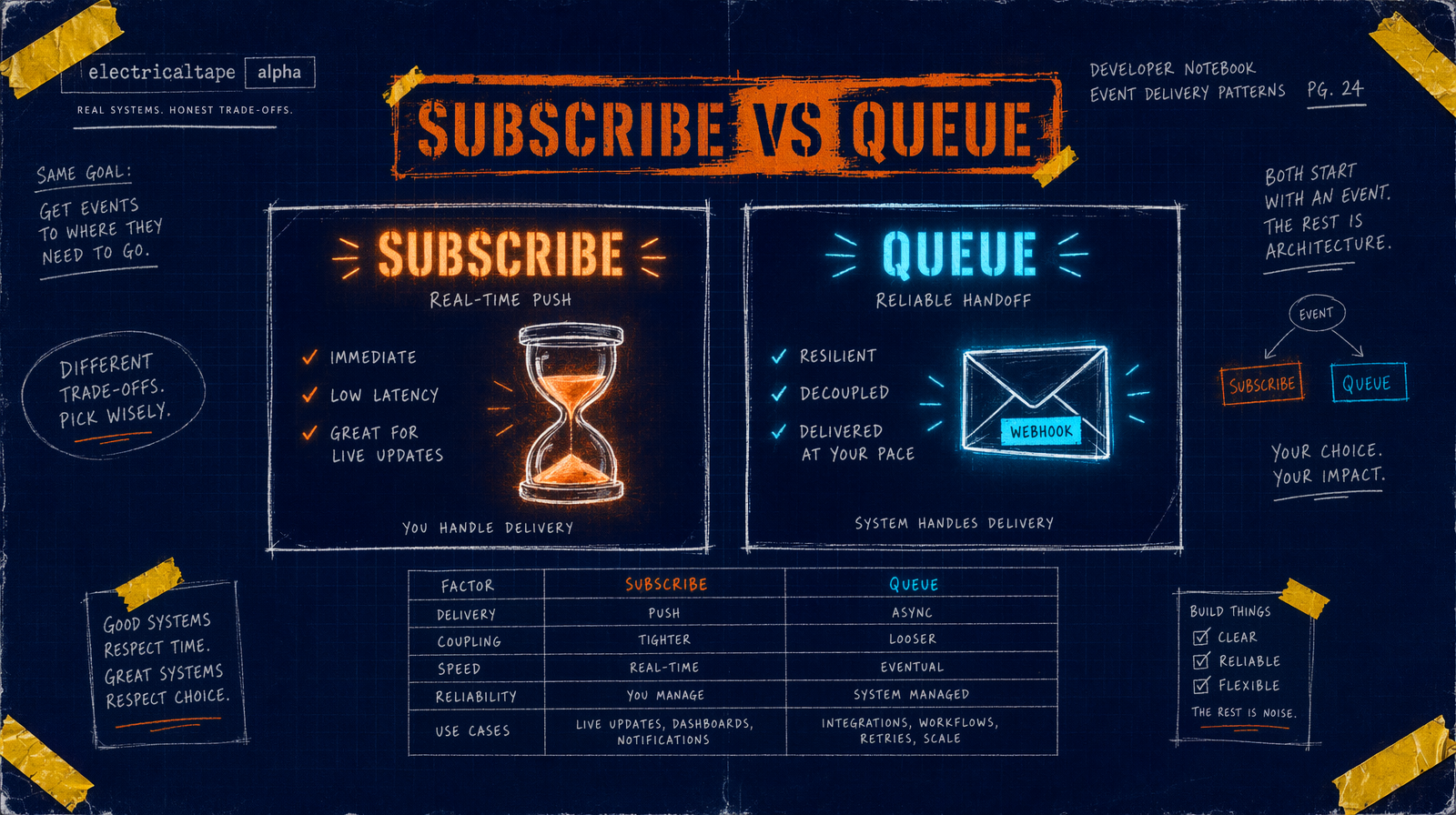
@fal-ai/client exposes four ways to call a model. In real code you pick from three.
fal.subscribe(endpoint, { input })submits, waits, returns. Use it for anything under three minutes with a spinner.fal.queue.submit(endpoint, { input, webhookUrl })submits and returns a request id. Use it with a webhook.fal.queue.statusandfal.queue.resultcheck and retrieve queued jobs.
Skip fal.run. It blocks on HTTP with no queue visibility; there is no reason to choose it.
First render, end to end
Five second Wan 2.7 clip at 1080p. $0.10 per second, so $0.50.
1import { fal } from "@fal-ai/client";23fal.config({ credentials: process.env.FAL_KEY });45const result = await fal.subscribe("fal-ai/wan/v2.7/text-to-video", {6 input: {7 prompt: "A red kite rising over a wheat field at golden hour, slow push",8 duration: 5,9 resolution: "1080p",10 aspect_ratio: "16:9",11 },12 logs: true,13 onQueueUpdate: (update) => {14 if (update.status === "IN_PROGRESS") {15 update.logs?.forEach((l) => console.log(l.message));16 }17 },18});1920console.log(result.data.video.url);21console.log("request id", result.requestId);
duration is an integer on Wan 2.7. "5" is a validation error. logs: true plus onQueueUpdate gives you live progress. result.requestId is your handle for later lookups.
The queue lifecycle
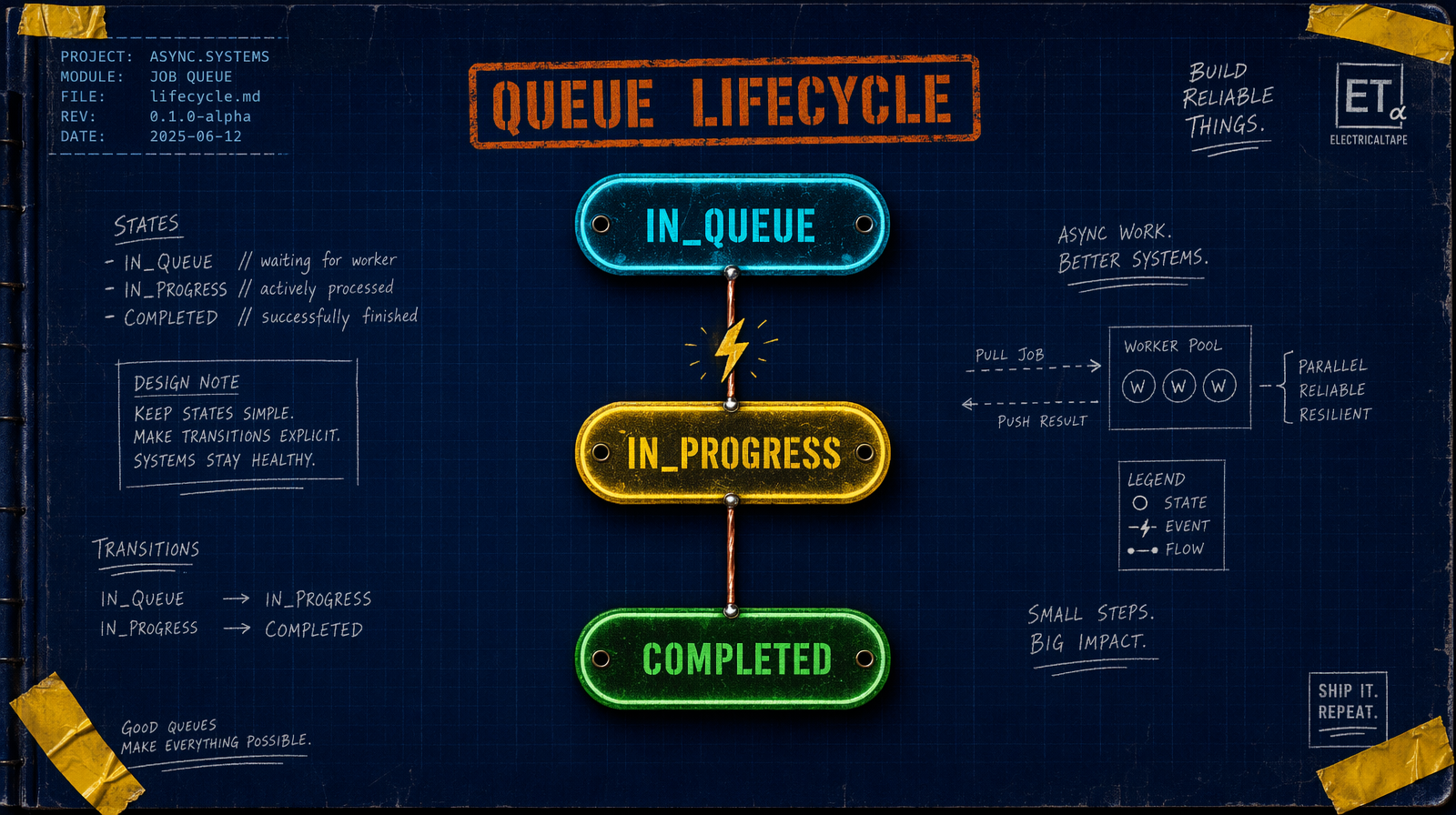
Jobs move through IN_QUEUE, IN_PROGRESS, COMPLETED. subscribe hides this. queue.submit makes you own it.
1const { request_id } = await fal.queue.submit("fal-ai/veo3.1/lite", {2 input: {3 prompt: "A matte black laptop opens on a walnut desk, slow dolly in",4 duration: "6s",5 resolution: "1080p",6 aspect_ratio: "16:9",7 },8});910const status = await fal.queue.status("fal-ai/veo3.1/lite", {11 requestId: request_id,12 logs: true,13});1415if (status.status === "COMPLETED") {16 const { data } = await fal.queue.result("fal-ai/veo3.1/lite", { requestId: request_id });17 console.log(data.video.url);18}
At $0.05 per second, a six second Veo 3.1 Lite draft is $0.30. Use Lite to lock the prompt before paying $0.40 per second for full Veo 3.1.
Errors you will see in week one
ValidationError with 422 means bad input shape. Read the message; the integer versus string duration mismatch bites everyone once.
fetch failed mid subscribe means the connection dropped, not that the job failed. The job is still running. Use fal.queue.status with the request id you captured at submit time.
429 Too Many Requests means you hit concurrency. Reach for p-queue, or switch to queue.submit with a webhook and stop holding connections open per job.
A wrapper that earns its keep
1import { fal, type Result } from "@fal-ai/client";23export async function generate<T>(4 endpoint: string,5 input: Record<string, unknown>,6): Promise<Result<T>> {7 try {8 return await fal.subscribe(endpoint, { input, logs: true });9 } catch (err) {10 console.error("[fal]", endpoint, err);11 throw err;12 }13}
npm install, set a key, subscribe or queue, handle the three errors above, wrap the call. Nothing under this layer is going to change.