Text-to-Video vs Image-to-Video: The Decision Framework
Four questions that tell you which endpoint to call. None of them are about prompt length.
The verdict up front
You do not decide between text-to-video and image-to-video based on prompt length, scene complexity, or model preference. You decide based on whether you have a locked visual reference that must appear in the output. If you do, use I2V. If you do not, use T2V. Everything else is secondary.
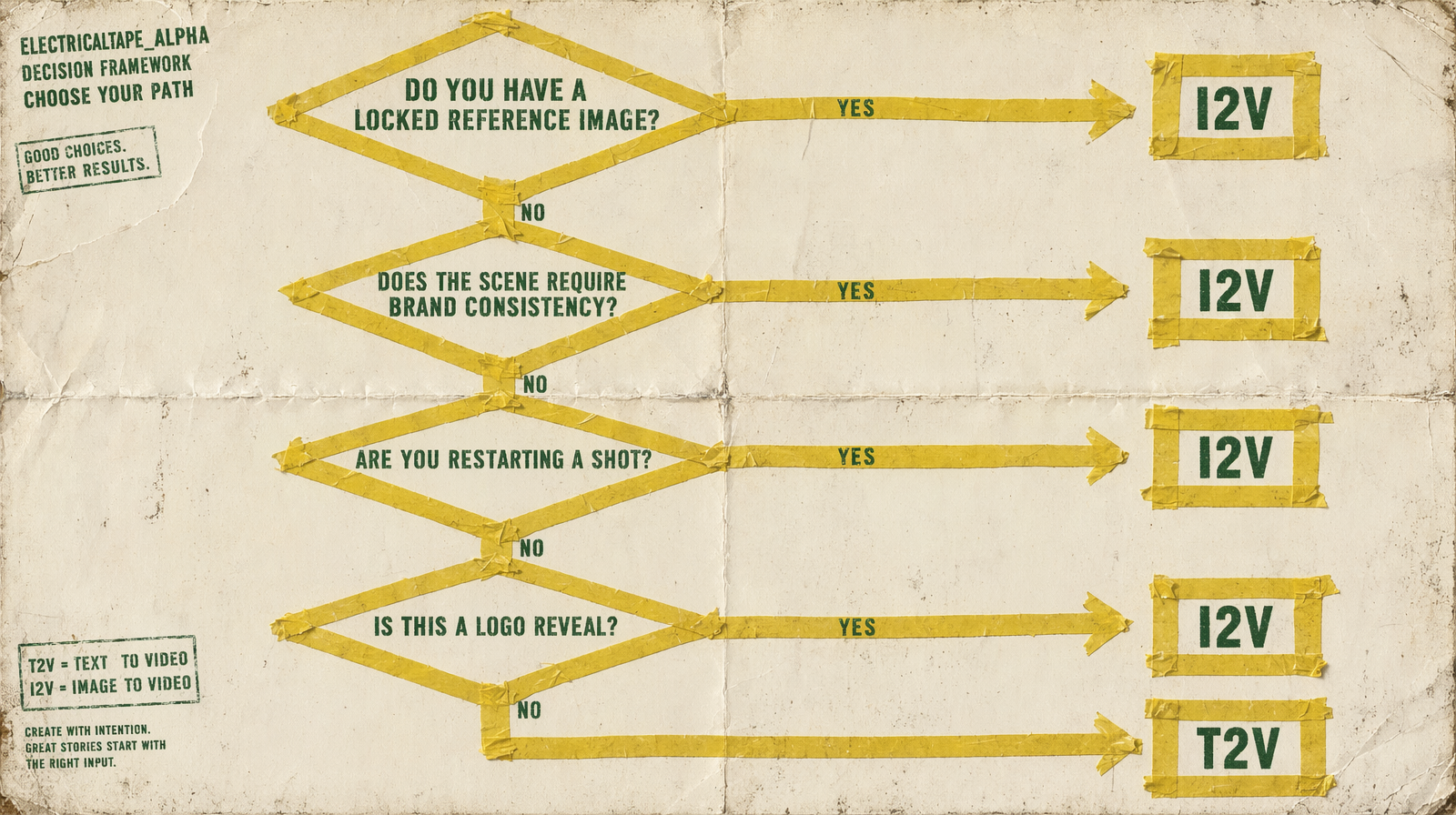
The four questions
Answer these in order. Stop at the first yes.
1. Do you have a locked reference image that must appear frame one?
Hero product shot, branded character, approved key art, studio headshot. If yes, this is I2V. T2V cannot reproduce a specific image from a prompt no matter how detailed the description. Go to the image-to-video endpoint of your chosen model family.
2. Do you need brand or character consistency across a series?
Three clips of the same mascot, five ads with the same product, a campaign built around one spokesperson. If yes, this is I2V with the same reference image fed into each generation. T2V drifts across seeds; I2V holds the frame.
3. Are you restarting or extending a shot from a previous render?
You have a clip you like. You want a second clip that continues it, or you want to try a different prompt from the same starting frame. If yes, this is I2V using the last frame (or first frame) of the prior render as input. Wan 2.7 also supports a video_url continuation path that is even cleaner for this case.
4. Is this a logo or title reveal locked to a specific asset?
Logo animation, lower-third title card, graphic intro. If yes, this is I2V with the static asset as the input image. You feed the finished graphic and prompt the motion around it.
If every answer was no, it is T2V. The prompt does all the work.
Endpoint mapping
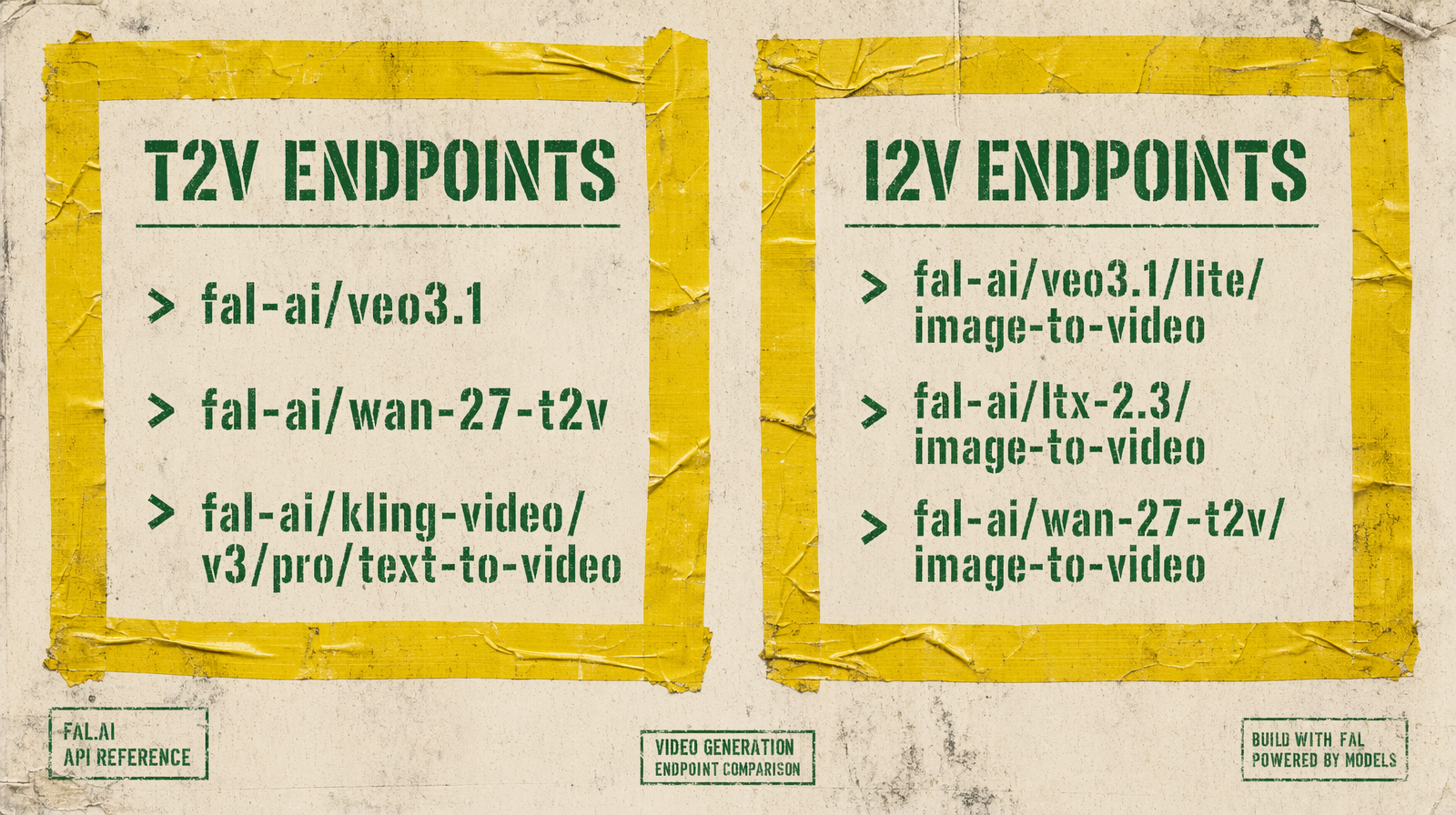
| Model | T2V endpoint | I2V endpoint |
|---|---|---|
| Veo 3.1 | fal-ai/veo3.1 | fal-ai/veo3.1/image-to-video |
| Veo 3.1 Fast | fal-ai/veo3.1/fast | fal-ai/veo3.1/fast/image-to-video |
| Veo 3.1 Lite | fal-ai/veo3.1/lite/text-to-video | fal-ai/veo3.1/lite/image-to-video |
| Wan 2.7 | fal-ai/wan/v2.7/text-to-video | fal-ai/wan-27-t2v/image-to-video |
| Kling v3 Pro | fal-ai/kling-video/v3/pro/text-to-video | fal-ai/kling-video/v3/pro/image-to-video |
| LTX 2.3 | fal-ai/ltx-2.3/text-to-video | fal-ai/ltx-2.3/image-to-video |
| Seedance 2.0 | bytedance/seedance-2.0/text-to-video | fal-ai/bytedance/seedance/v2/pro/image-to-video |
Pricing is the same between T2V and I2V for every model in this list. You are not paying a premium for reference input.
Why prompt length is not the question
A common mistake: assuming a very detailed prompt is "almost" a reference image, so T2V is fine. It is not. T2V reads your description and produces its own interpretation. If you describe a red car with a specific badge, you will get a red car with a made-up badge that the model invented. The badge will be different every seed.
I2V is deterministic on the frame input. If you pass a photo of your car, the car in the output is your car. That is the only reason to use I2V.
Why scene complexity is not the question
Another common mistake: assuming complex scenes need T2V because you "describe more" in a prompt. Both endpoints accept the same prompt length. I2V lets you anchor the scene with an image and still describe the camera move, lighting shift, and action in the prompt. You get both.
The one edge case
If you have a reference image but the subject needs to move off-screen and return as a different character, you are no longer describing I2V. You are describing two shots. Use the first reference for the first shot with I2V, then switch to T2V for the off-screen narrative beat, then back to I2V for the return. Kling v3 Pro's multi_prompt can help here on the T2V side.
The rule
Have a reference, use I2V. Do not have a reference, use T2V. Decide first, then pick the model.